Where work happens and the financials follow.
A modern project workspace — boards, lists, timelines, dependencies — wired to the same metadata repository that runs the ERP. AI-augmented work intelligence inside the user's permission perimeter. Time and effort tracked at the task level and rolled up to revenue and margin without a separate billing system. Project Management as part of the operational fabric, not as a parallel tool.

One governed environment
Projects, tasks, resources, time and budgets share the same records as the ERP. No middleware between PM and finance. No reconciliation job at month-end. The project is the same record the invoice posts against.
Same data, no silos
A task becomes a time entry becomes a billable line becomes an invoice becomes a payment — all in the same metadata repository, with the same identifiers, the same security perimeter and the same audit trail.
AI inside your perimeter
The AI layer summarises project status, flags slipping work and predicts effort against the same data the user already has read access to. Every suggestion auditable; nothing leaks outside the configured provider.
Built on the supervised platform
Multi-tenancy, audit, row and column security, observability as SQL — none of this is PM code. It is the platform underneath every board, every report, every billing run.
Project execution with governance and operational control.
Configurable phase model — initiation, planning, execution, close — with gate criteria and sign-off records. The lifecycle is metadata ; the team adapts it without engineering. Programmes that span legal entities or currencies post correctly to the right ledger automatically. Intercompany allocation rules in the metadata repository, not in spreadsheets. Project managers see their portfolio ; resource managers see their teams ; finance sees revenue and margin ; executives see roll-ups. The same dataset, role-filtered at the engine layer. Every status change, approval and reassignment recorded with full context. Audits answer "who changed what when, against which baseline" by query, not by forensic reconstruction.
- Project lifecycle with phase gates — Configurable phase model — initiation, planning, execution, close — with gate criteria and sign-off records. The lifecycle is metadata ; the team adapts it without engineering.
- Multi-entity and multi-currency — Programmes that span legal entities or currencies post correctly to the right ledger automatically. Intercompany allocation rules in the metadata repository, not in spreadsheets.
- Role-based visibility — Project managers see their portfolio ; resource managers see their teams ; finance sees revenue and margin ; executives see roll-ups. The same dataset, role-filtered at the engine layer.
- Audit trail by construction — Every status change, approval and reassignment recorded with full context. Audits answer "who changed what when, against which baseline" by query, not by forensic reconstruction.
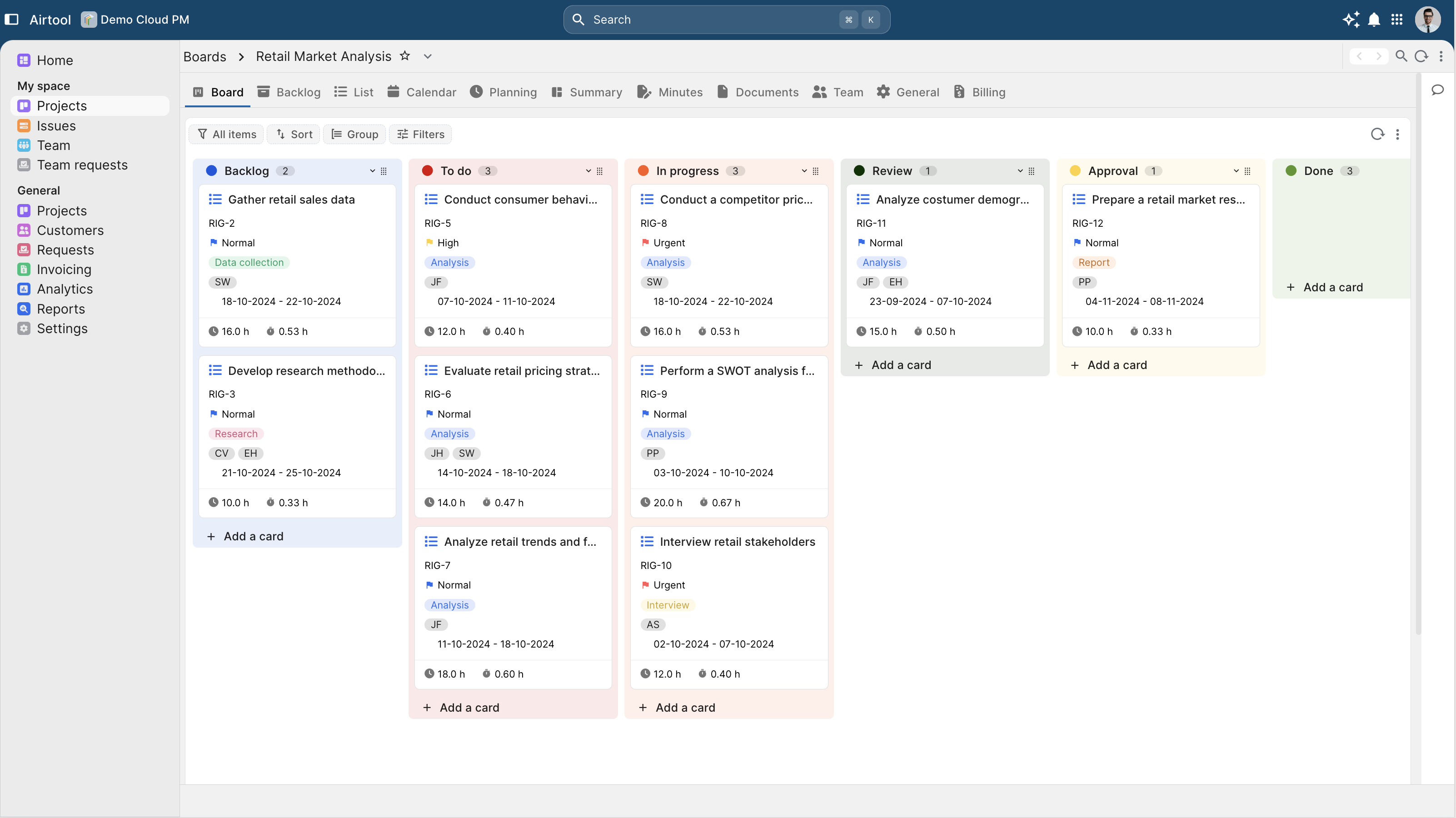
Boards, lists, timelines and dependencies — adopted on day one.
Status columns, swimlanes and WIP limits configured as metadata-repository rows. Different teams run different workflows on the same project model. The same task set rendered four ways with a single click. Filters and groupings persist per user. Predecessor / successor relationships modelled in the engine. The critical path is computed live ; a delayed dependency surfaces in the affected downstream tasks the next refresh. Extend the project model with custom fields without leaving the platform. The fields are metadata ; security, audit and reporting apply to them automatically.
- Kanban with configurable workflows — Status columns, swimlanes and WIP limits configured as metadata-repository rows. Different teams run different workflows on the same project model.
- Multiple views — list, board, timeline, calendar — The same task set rendered four ways with a single click. Filters and groupings persist per user.
- Milestones, dependencies, critical path — Predecessor / successor relationships modelled in the engine. The critical path is computed live ; a delayed dependency surfaces in the affected downstream tasks the next refresh.
- Custom fields, statuses, priorities — Extend the project model with custom fields without leaving the platform. The fields are metadata ; security, audit and reporting apply to them automatically.
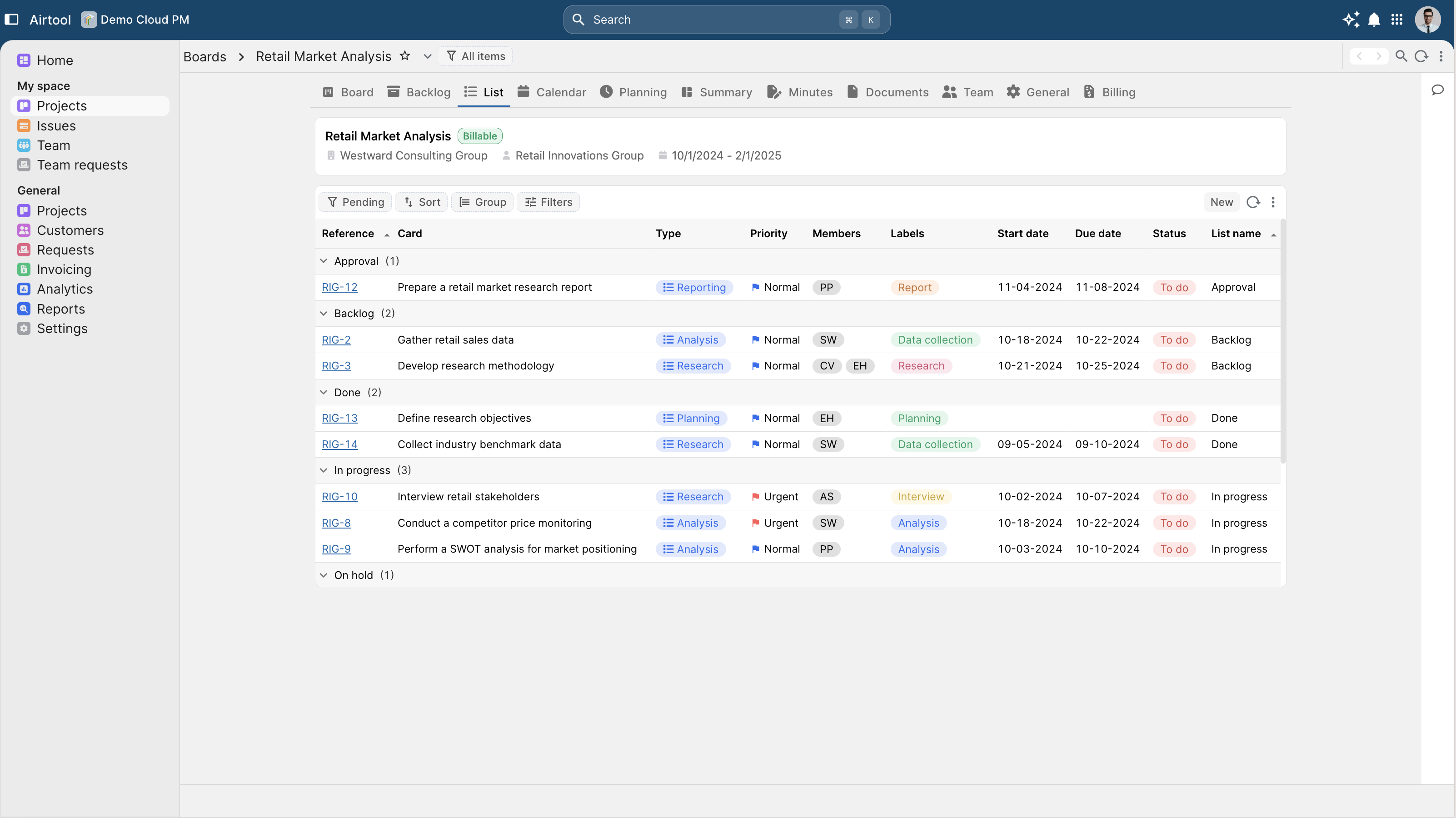
Conversations, files and activity in the same record.
Real-time threaded comments on every task, project and milestone. @mentions notify the responsible party and link back to the originating record. Documents attached to projects and tasks retained with full version history. Replaces, restores and provenance all queryable. Every state change, comment, file and approval surfaced in a per-project activity stream — and rolled up into portfolio-level activity for leadership. Configurable notification rules per role and per priority. Reminders against SLA-bound work routed automatically. The team does not chase ; the system chases for them.
- Task comments, mentions and threads — Real-time threaded comments on every task, project and milestone. @mentions notify the responsible party and link back to the originating record.
- File attachments with version history — Documents attached to projects and tasks retained with full version history. Replaces, restores and provenance all queryable.
- Activity feed per project — Every state change, comment, file and approval surfaced in a per-project activity stream — and rolled up into portfolio-level activity for leadership.
- Notifications and reminders — Configurable notification rules per role and per priority. Reminders against SLA-bound work routed automatically. The team does not chase ; the system chases for them.
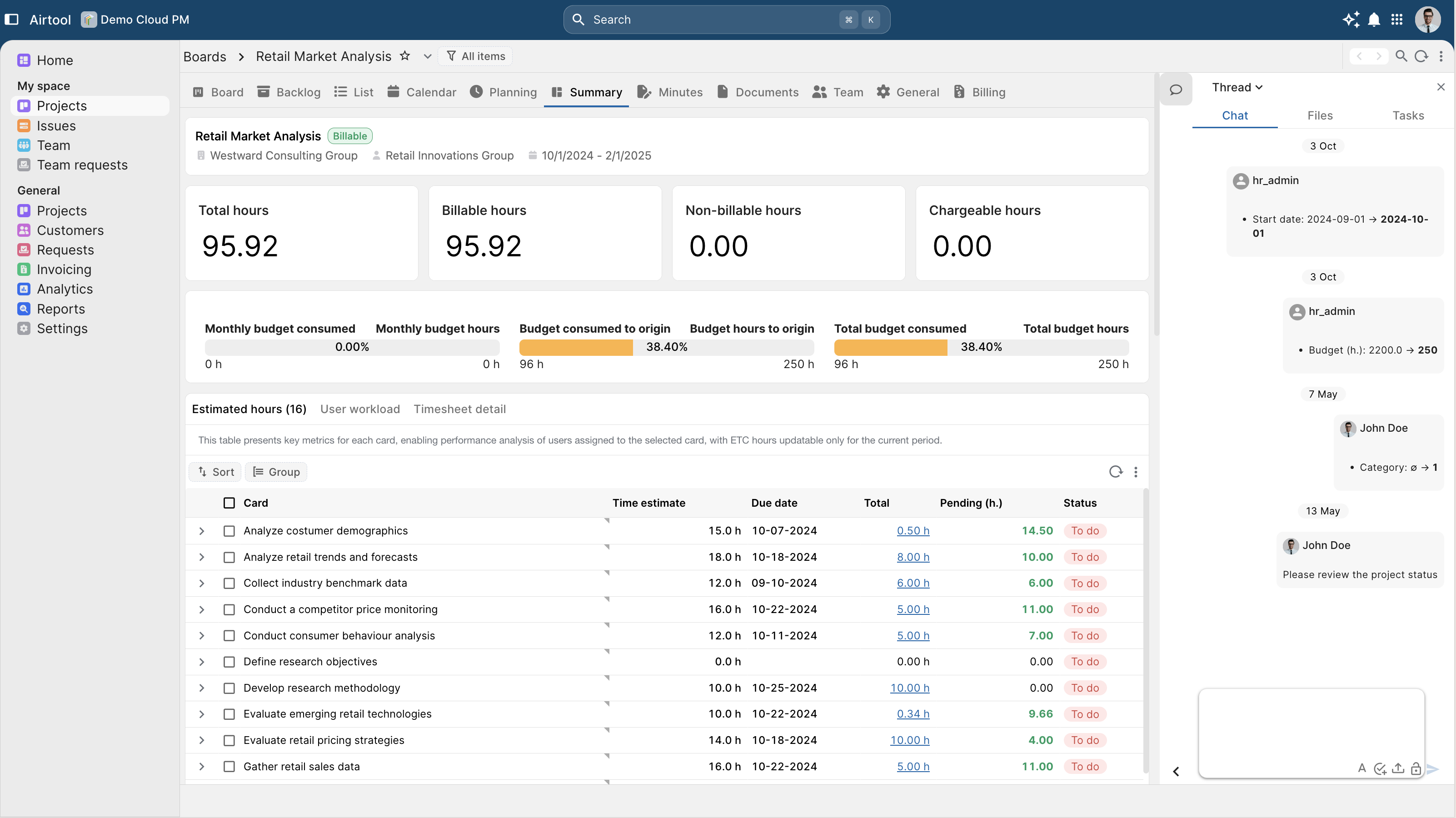
AI that summarises, flags and predicts — inside the security perimeter.
A one-paragraph summary of where a project stands — what shipped this week, what slipped, what depends on what — generated on demand from the live data, not from a stale weekly report. The model reads task activity, comment cadence and dependency state to flag the projects most likely to slip. Flagged items route to a managed queue ; the rule is explainable. Estimates how long a task or phase will take based on the team's own historical performance — not vendor benchmarks. Predictions feed capacity planning and inform commitments. Every AI invocation captured — model, provider, tokens, cost, the user's runtime context, the prompt and the result. The same audit surface every other request on the platform generates.
- Project-status summary generation — A one-paragraph summary of where a project stands — what shipped this week, what slipped, what depends on what — generated on demand from the live data, not from a stale weekly report.
- Risk and delay detection — The model reads task activity, comment cadence and dependency state to flag the projects most likely to slip. Flagged items route to a managed queue ; the rule is explainable.
- Effort and workload prediction — Estimates how long a task or phase will take based on the team's own historical performance — not vendor benchmarks. Predictions feed capacity planning and inform commitments.
- Audit-traced AI — Every AI invocation captured — model, provider, tokens, cost, the user's runtime context, the prompt and the result. The same audit surface every other request on the platform generates.
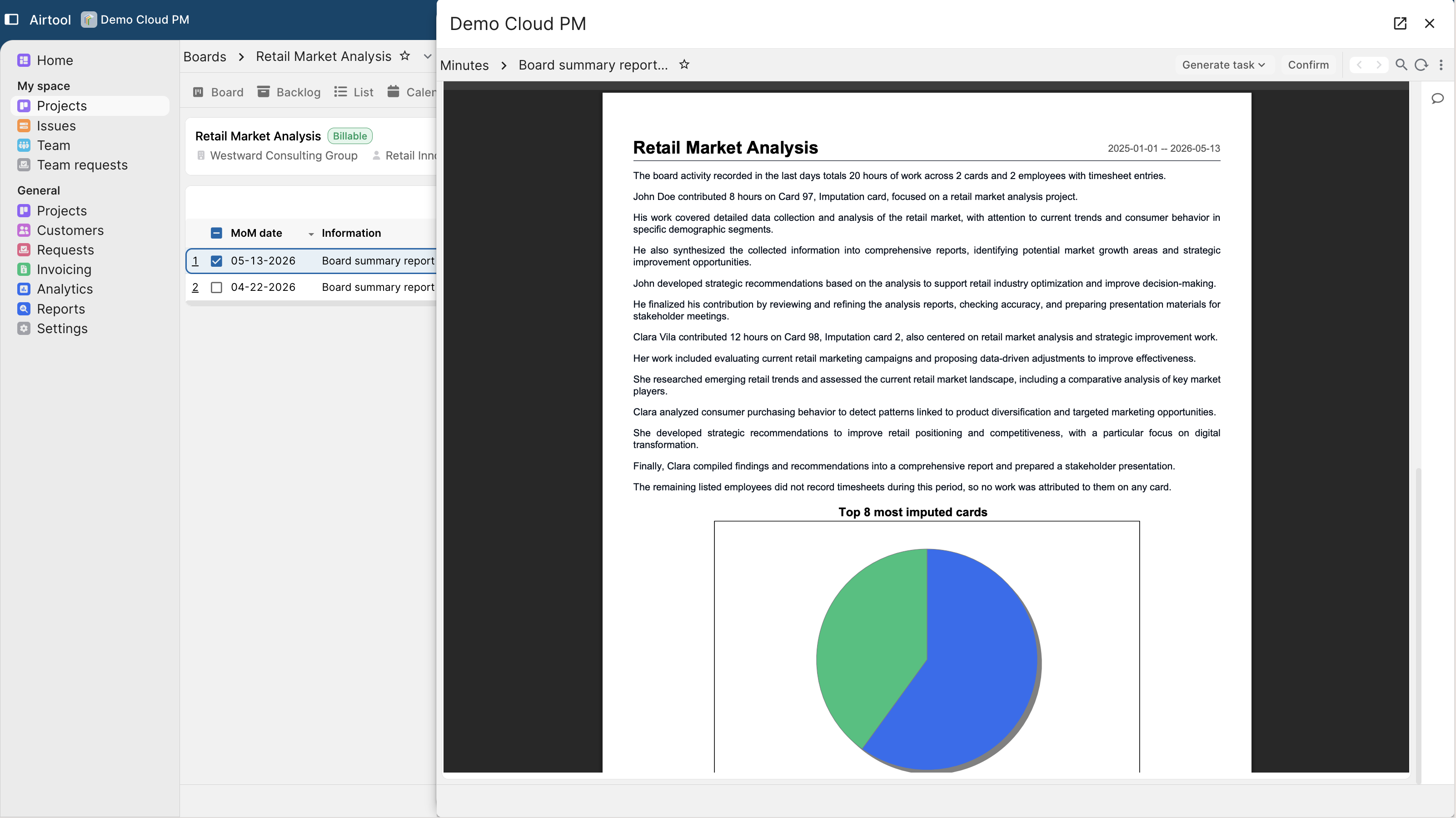
Capture time naturally ; bill it without leaving the system.
Log time directly against the task. Mobile, voice and quick-entry forms for the field ; structured entry for the office. Same audit trail across channels. Hours tagged at entry with their billability and contract terms. Aggregation against the customer's contract, automatic ; the project manager does not classify after the fact. Per-role approval workflows for time submissions. Approvals are audit records, not email threads. Rejected hours route back with context. Time entries roll into project, programme, customer, portfolio and resource views — every view of the same dataset, role-filtered by the engine.
- Task-level time logging — Log time directly against the task. Mobile, voice and quick-entry forms for the field ; structured entry for the office. Same audit trail across channels.
- Billable and non-billable hour tracking — Hours tagged at entry with their billability and contract terms. Aggregation against the customer's contract, automatic ; the project manager does not classify after the fact.
- Multi-level approvals — Per-role approval workflows for time submissions. Approvals are audit records, not email threads. Rejected hours route back with context.
- Effort roll-up to portfolio — Time entries roll into project, programme, customer, portfolio and resource views — every view of the same dataset, role-filtered by the engine.
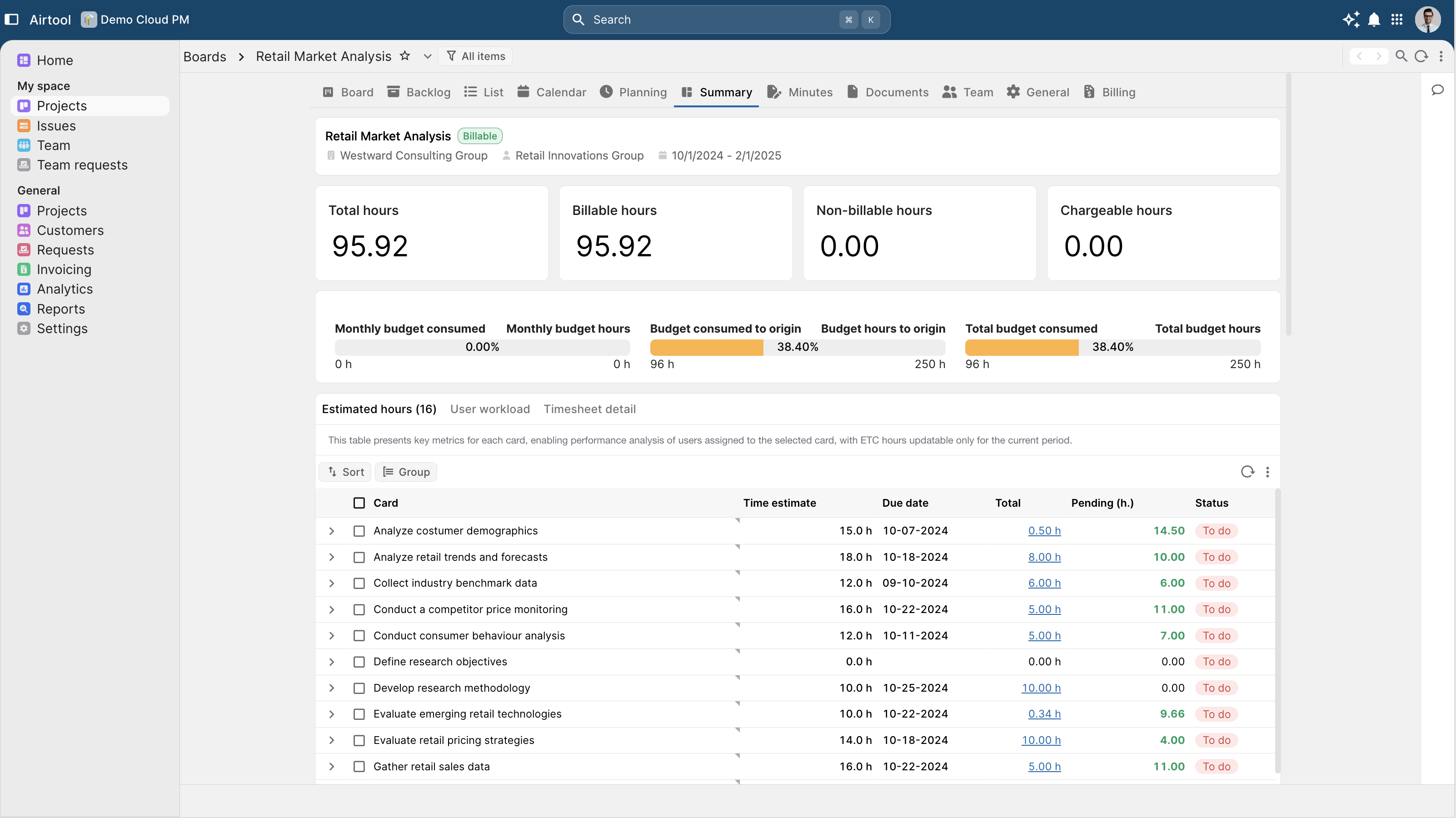
Project economics, live, on the same ledger the business runs on.
Project budget and actual spend reconciled live against the ledger. Variances surface as they happen ; finance and the project manager see the same number at the same time. Direct cost (time, expenses, sub-contractor invoices), allocated overhead and revenue calculated per project. Programme and customer roll-ups derive from the same data. Multiple recognition methods — fixed-price milestone, time and materials, cost-plus, percent-complete — modelled in the engine. Parallel statutory and management views from the same source data. Completed work flows directly into ERP billing — no re-keying, no spreadsheet bridge. The invoice issued against the customer is the same record the project manager closed the milestone on.
- Budget vs actual, live — Project budget and actual spend reconciled live against the ledger. Variances surface as they happen ; finance and the project manager see the same number at the same time.
- Margin and profitability per project — Direct cost (time, expenses, sub-contractor invoices), allocated overhead and revenue calculated per project. Programme and customer roll-ups derive from the same data.
- Revenue recognition policies — Multiple recognition methods — fixed-price milestone, time and materials, cost-plus, percent-complete — modelled in the engine. Parallel statutory and management views from the same source data.
- Billing readiness and ERP-connected invoicing — Completed work flows directly into ERP billing — no re-keying, no spreadsheet bridge. The invoice issued against the customer is the same record the project manager closed the milestone on.
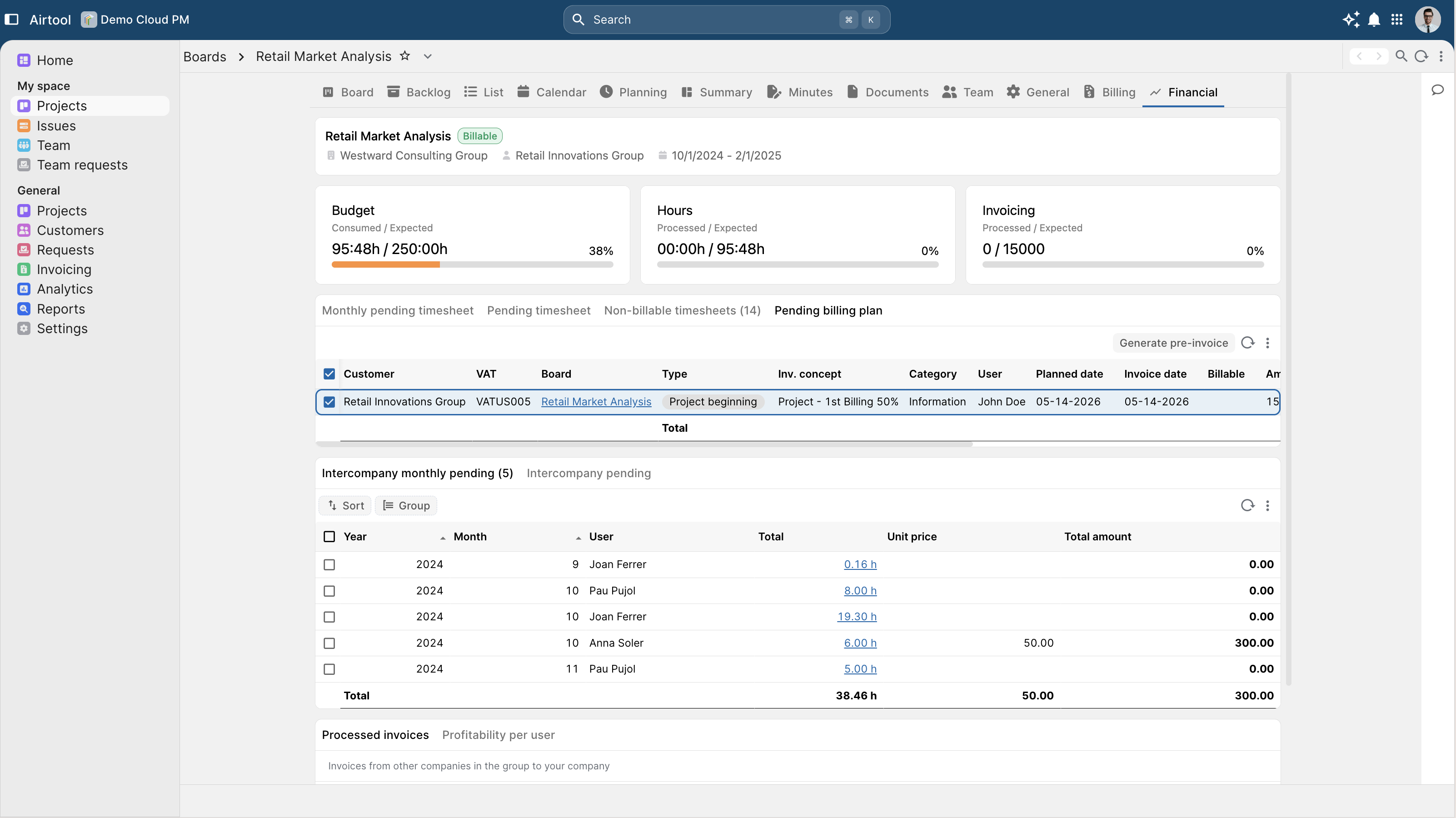
Every PM capability above is a platform inheritance.
Multi-tenancy, audit trail, row and column security, AI inside the user's permission perimeter, observability as SQL — none of this is PM-specific code. It comes from the supervised runtime underneath every Airtool application. The PM team writes business logic and metadata ; the platform delivers the enterprise capabilities for free.
The practical implication for the buyer : a customer using Airtool PM as a packaged product inherits every platform-core capability automatically. A customer using Airtool PM as a reference architecture and rebuilding their own project management on the platform inherits the same. The PM is a working demonstration of what the platform produces — and a working starting point for what the customer can extend or replace.