Account · Profile
User profile and account management
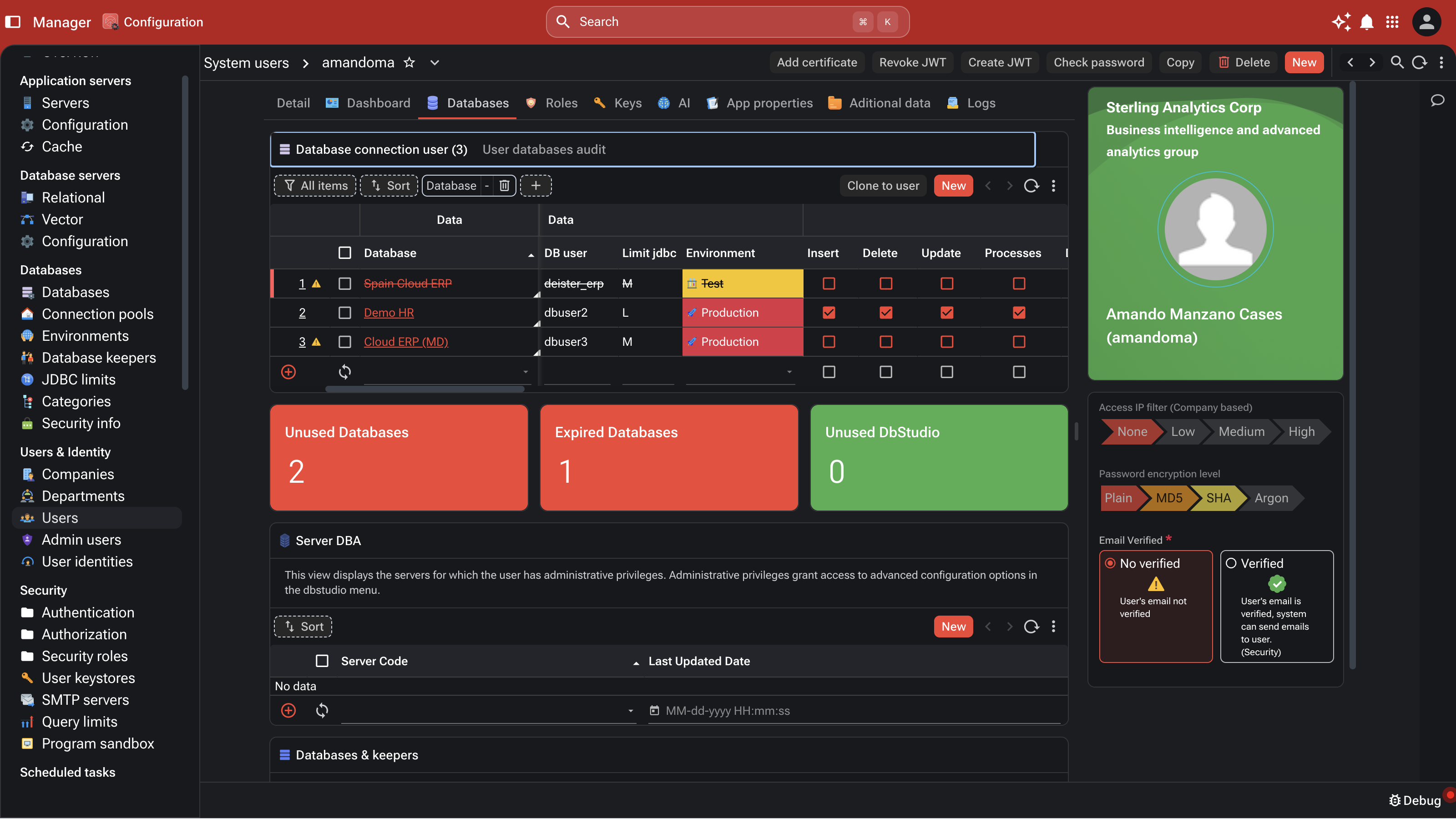
One identity record per user — email, role assignment, authentication mechanism, language, time zone. Edits propagate cluster-wide in milliseconds via Redis pub/sub.
Database Workbench is a browser-based IDE — no local install, no toolchain to manage. The platform's standard library has more than forty namespaces covering database access, HTTP, cryptography, cloud, AI, document generation, image processing and more. Playbook runs and debugs server-side scripts. TypeScript declarations give every IDE full autocompletion. Build on the platform you are about to ship on, from inside the platform itself.
GraalVM polyglot scripting on the server. JavaScript is primary (ECMAScript 2023 compliant); Python runs alongside it for teams that prefer it. Both execute server-side, against the customer's data, under the platform's security and audit model.
Multi-tab SQL editor with Monaco syntax highlighting. Server-side script execution from the browser. AI code completion. Object tree, ER diagram generation, import / export with progress streaming.
The patterns enterprise applications repeat — database, HTTP, cryptography, cloud, AI, mail, document generation, image processing, OCR, async, charting, NLP — built once, available everywhere.
Complete .d.ts coverage for the platform's standard library. Full method signatures, parameter types, return types, JSDoc. Autocompletion, parameter hints, refactoring support in any TypeScript-aware IDE.
JavaScript primary, Python alongside it. Both run on the server — never on the client. The strategic implication is the talent pool: enterprises hire the developers they can actually find.
ECMAScript 2023-compliant JavaScript executing inside the GraalVM Polyglot runtime, against the customer's data, under the platform's security and audit model. The same language a generation of developers already knows, applied where the business logic lives.
Python runs alongside JavaScript in the same polyglot runtime, with the same standard-library surface and the same security perimeter. Teams that prefer Python — data engineering, AI / ML, integration — write Python; the platform treats both languages as first-class.
Scripts execute on the platform, not in the browser. The user's machine sees results, not code. Sensitive operations stay on the server; the security model is the runtime's, not the browser's.
JavaScript and Python are the two largest developer talent pools in the world. The teams an enterprise can actually hire are the teams the platform expects. This is the opposite of the talent reality for Oracle Forms, 4GL, PowerBuilder and Delphi — where the developer pool shrinks every year.
Write a server-side handler. Save. The endpoint is live cluster-wide. No JVM restart, no redeploy, no maintenance window — because the endpoint is a metadata record, not a compiled file. The deploy cycle that every conventional framework — Flask, Django, Express, Spring, JAX-RS — forces on a new endpoint is engineered out of the platform.
Open Database Workbench in the browser. Write the handler in JavaScript or Python. Configure the path pattern, the HTTP method and the role binding. Save. The whole authoring loop is inside the same web application the API runs in — no toolchain, no local Maven, no npm. The endpoint is a record in the platform's metadata repository, not a file in a build artefact.
On save, the runtime broadcasts a cache-eviction event through Redis pub/sub. Every node in the cluster clears its local metadata cache. The next request matching the route fetches the new handler from the metadata repository and compiles it. Existing in-flight requests continue under the old version; new requests pick up the new one. No maintenance window. No node restart. No version drift across the cluster.
The endpoint runs inside the same supervised runtime that runs every other request on the platform. The same eight authentication mechanisms apply — OAuth, OpenID Connect, SAML, JWT, mTLS, Basic, Digest, Form + 2FA — without the developer wiring any of them. Row- and column-level security is injected into every query the handler runs. Multi-tenant boundaries are enforced at the JDBC layer. Every invocation is captured in the platform's audit trail — the same one packaged Apps generate, queryable as standard SQL.
Every handler gets the platform's 40+ namespace standard library on the first line. Database access for native SQL across all ten engines. Outbound HTTP requests. Governed model calls into the AI providers configured for the tenant. SMTP mail. Signing and encryption. PDF rendering. Image thumbnailing and OCR. Cloud connectors for S3, Drive, SharePoint, Slack, Teams. CORS, multipart upload, server-sent events and streaming response bodies all available through the platform's HTTP layer — not glued together from a dozen npm modules.
An enterprise platform's quiet differentiator: every application built on it looks and behaves the same way, because the architecture decides where things live — not the individual developer.
Database engineers handle the database tier. Business analysts author the metadata repository. Server-side JavaScript or Python developers handle batch and middle-tier logic. UI is generated. The full-stack-developer dependency that bottlenecks most modernisations is engineered out of the critical path.
Database business logic lives in the database. Application metadata lives in the metadata repository. Middle-tier scripts live in the platform's runtime. UI lives nowhere — it is generated from metadata. The platform makes the right place obvious, and the wrong place difficult.
The application surface is generated from a shared design language, governed by company-level UI rules. Developers do not customise screen-by-screen; the company customises once and the change applies everywhere. The result is an application portfolio that looks like one product, not seventeen.
When the Forms or 4GL developer retires, no one replaces them. JavaScript and Python developers, on the other hand, are abundant — and the platform's standard library puts them productively to work on day one. The migration is not just an application migration; it is a talent migration onto a sustainable foundation.
Because the entire application is metadata — every form, screen, role, query and batch is a database record — AI development agents author the same graph developers do. Natural-language instructions compile to XDBL ; agents scaffold forms, write stored procedures, propose schema migrations, refactor workflows. No file tree to parse, no inconsistencies to fight, no dialect-by-dialect SQL to memorise. The developer and the agent share one abstraction ; the platform's compiler and security model apply equally to both. This is the structural multiplier AI gets on a metadata-native runtime that it cannot get on a file-based codebase.
A full development and DBA environment, accessible by URL. No JDK install, no Maven, no Docker, no local toolchain. Works across every engine the platform supports — Informix, Oracle, PostgreSQL, SQL Server, DB2, MySQL and more.
Monaco-based editor with syntax highlighting for SQL, JavaScript, XML and XSLT. Per-user query history, persistent across sessions and devices. Connect to multiple databases in the same session — Informix and PostgreSQL side-by-side, Oracle and SQL Server, or any combination of the platform's supported engines. Result-set inspection with row selection, sorting and export.
Browse the database object catalogue for any connected engine: tables, views, stored procedures, triggers, indexes, constraints. Generate ER diagrams from a live schema. Inspect query execution plans (EXPLAIN / SET EXPLAIN). Write and run schema migrations against the target engine; the platform's schema compiler validates XDBL against the engine's type system before execution. Import / export with server-side streaming progress.
GraalVM JavaScript execution from the browser, against the customer's databases, under the user's permission perimeter. The same execution model production scripts run in. Write a script, run it against production data, inspect the result — from the browser, without a local environment.
LLM-backed code completion through the configured AI provider. The completion runs inside the customer's permission perimeter; suggestions are not transmitted outside the configured provider.
Inspect Redis keys, TTLs, pub/sub channels. Browse Qdrant collections, points and similarity searches. The supporting infrastructure is queryable from the same IDE the application database is.
Manage SSH connections, key material and tunnel configurations for the database servers in the fleet. The DBA and the developer operate from the same tool.
More than forty namespaces. The patterns that enterprise applications repeat — built once, available everywhere.
JDBC queries, stored procedures, transactions, batching, result-set serialisation, SQL construction utilities. The database tier is a one-liner, not a project.
REST client and server. AWS SDK surface at the script level: S3 (put, get, list, delete, presigned URLs), Lambda (synchronous and asynchronous invocation), SES (transactional email), CloudFront (signed URLs, cache invalidation), SNS (notifications), SQS (queue integration), DynamoDB and API Gateway. Azure and Google Cloud equivalents in the same library surface. External APIs and cloud services as first-class functions — no separate microservice to stand up, no SDK dependency to manage in a package.json.
Multi-provider chat, embeddings, agents, RAG over vector databases, language detection and classification, optical character recognition. The AI surface is part of the standard library, not an add-on.
XSL-FO → PDF, PDF manipulation, XML parsing and generation, XSLT, image processing, chart generation, graph data structures. Document-and-rendering needs are routinely satisfied without third-party dependencies.
Cryptographic primitives, authentication context, role checks, secret retrieval from the secure key store. The platform's security model is accessible from any handler, but cannot be bypassed.
JVM introspection (memory, GC, thread dumps), parallel and async execution, unit testing. The same operational surface the platform itself uses, available to application code.
The administration surface — accounts, roles, sessions, authentication — from the runtime's own UI. Placeholder screenshots; real captures land in this same carousel.
The first thing a developer notices on Airtool is the absence of toolchain. There is no JDK to install, no Maven repository to configure, no Docker image to build, no local database to seed. The browser is the IDE. The runtime is the production runtime. The library is the standard library. Code runs where production code runs, against the data production code runs against, under the same security model.
The second thing the developer notices is that the platform generates most of what a developer would otherwise hand-write. Tables, screens, REST endpoints, role checks, audit trails — all metadata. The developer's job moves up a layer: from writing the application surface to authoring the model the surface is generated from. The same developer ships more application, with less code, against the same engineering rigour the platform itself maintains.