The same result set, read as something other than a list of rows.
Three families of view, and one thing in common: each is a property on an ordinary result set rather than a screen somebody built. Planning views answer when, how long, in what order and where a piece of work has got to. Catalogue views are for when the item has to look like the item rather than like a row. And media views render the document, message, recording or model stored against a record in place — because a column whose value is a file is still a column.
Five ways to read work that has a shape in time
Time and work state are their own family of questions, distinct from measurement. Each is a view type on an ordinary result set, so the same query can be read six ways without being written six times.
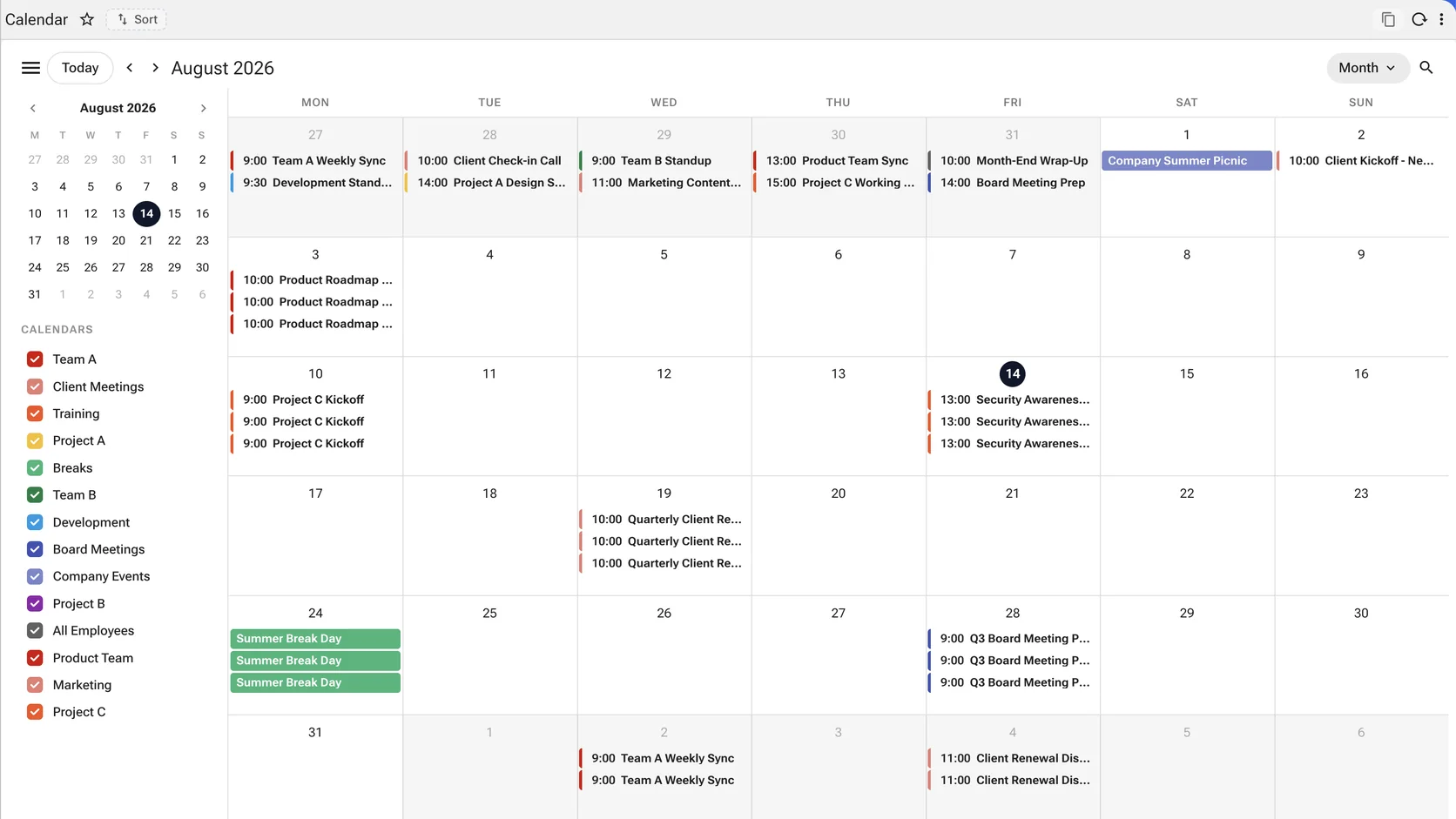
Fifteen calendars, one month, one click to hide any of them
Team schedules, client meetings, training, board meetings, company events and project streams as separate calendars over the same data, each with its own colour and its own toggle. What a viewer is entitled to see is what appears in the legend. Reach for it when the question is when, and the answer belongs on a month.
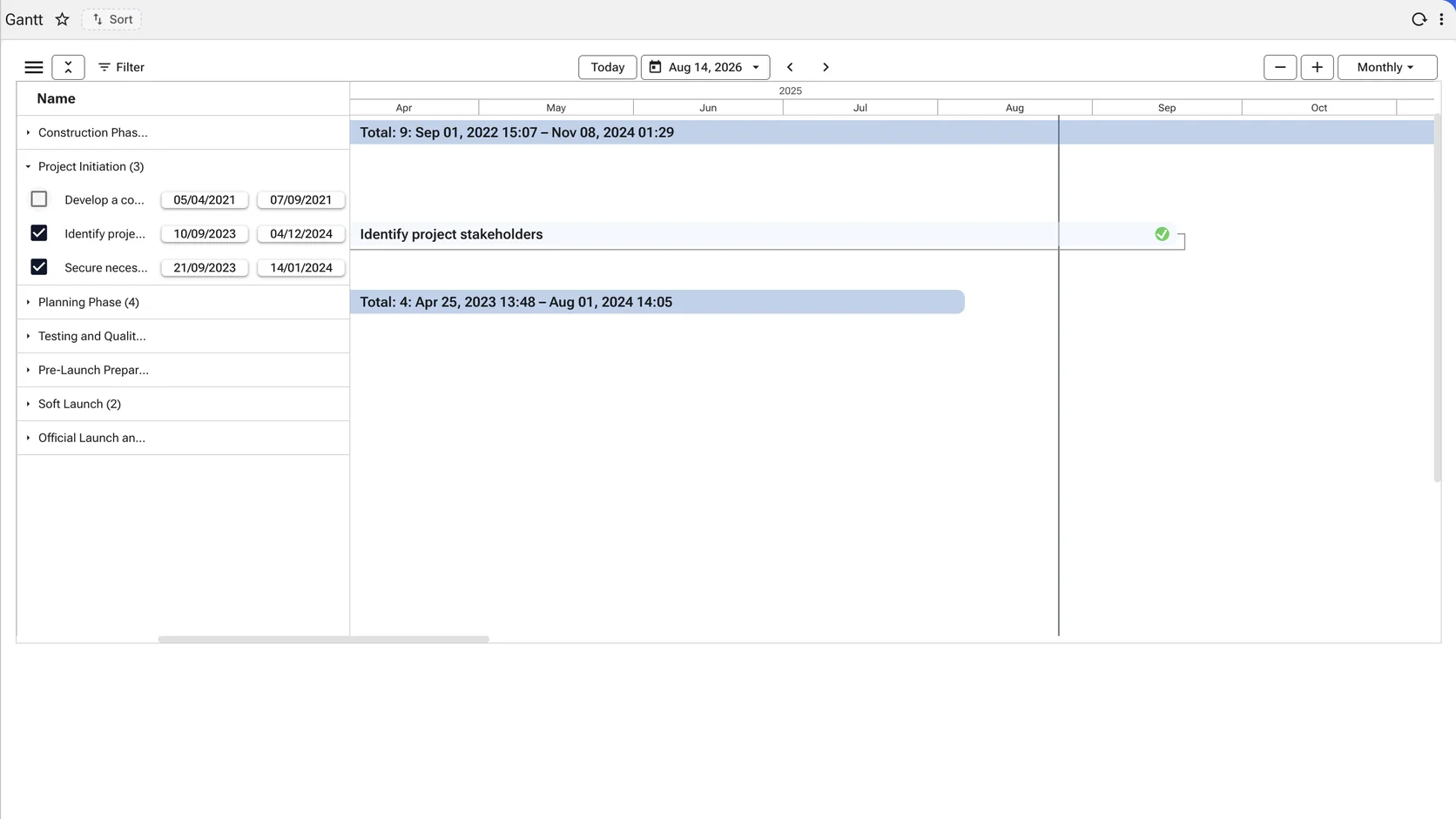
Phases that roll up, tasks that can be edited in place
Each phase collapses to a summary bar carrying its own span and count; open it and the tasks underneath have editable start and end dates, completion state and dependencies. The scale moves between daily, weekly, monthly and yearly without leaving the screen. Reach for it when duration and sequence matter more than dates — and the plan is still being edited.
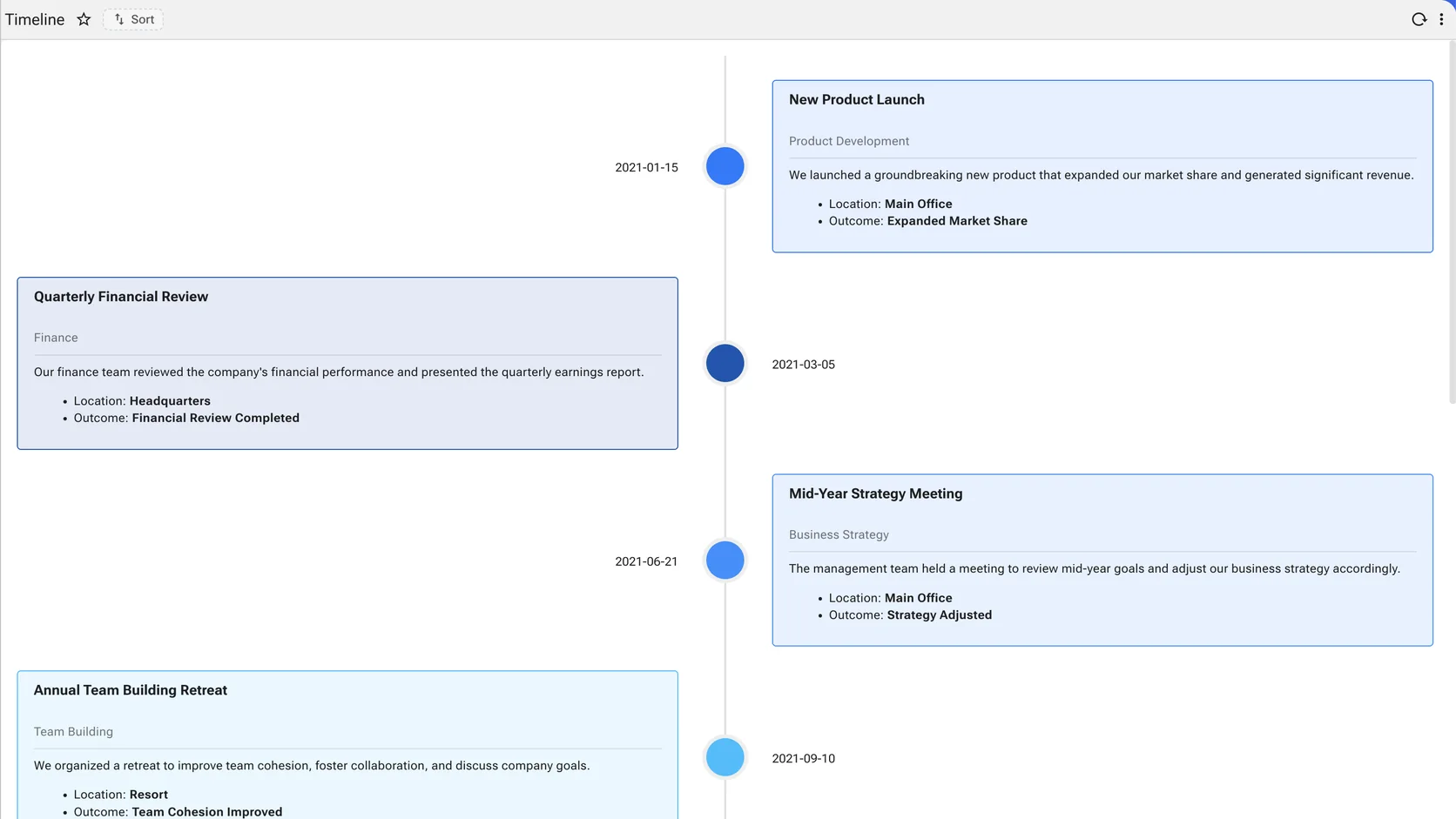
A history that reads as a history
Dated events down a spine, each with its category, its narrative and the facts worth pulling out — where it happened, what came of it. The same records that would otherwise be a list sorted by date. Reach for it when the question is what happened, in order, and the reader is reconstructing rather than planning.
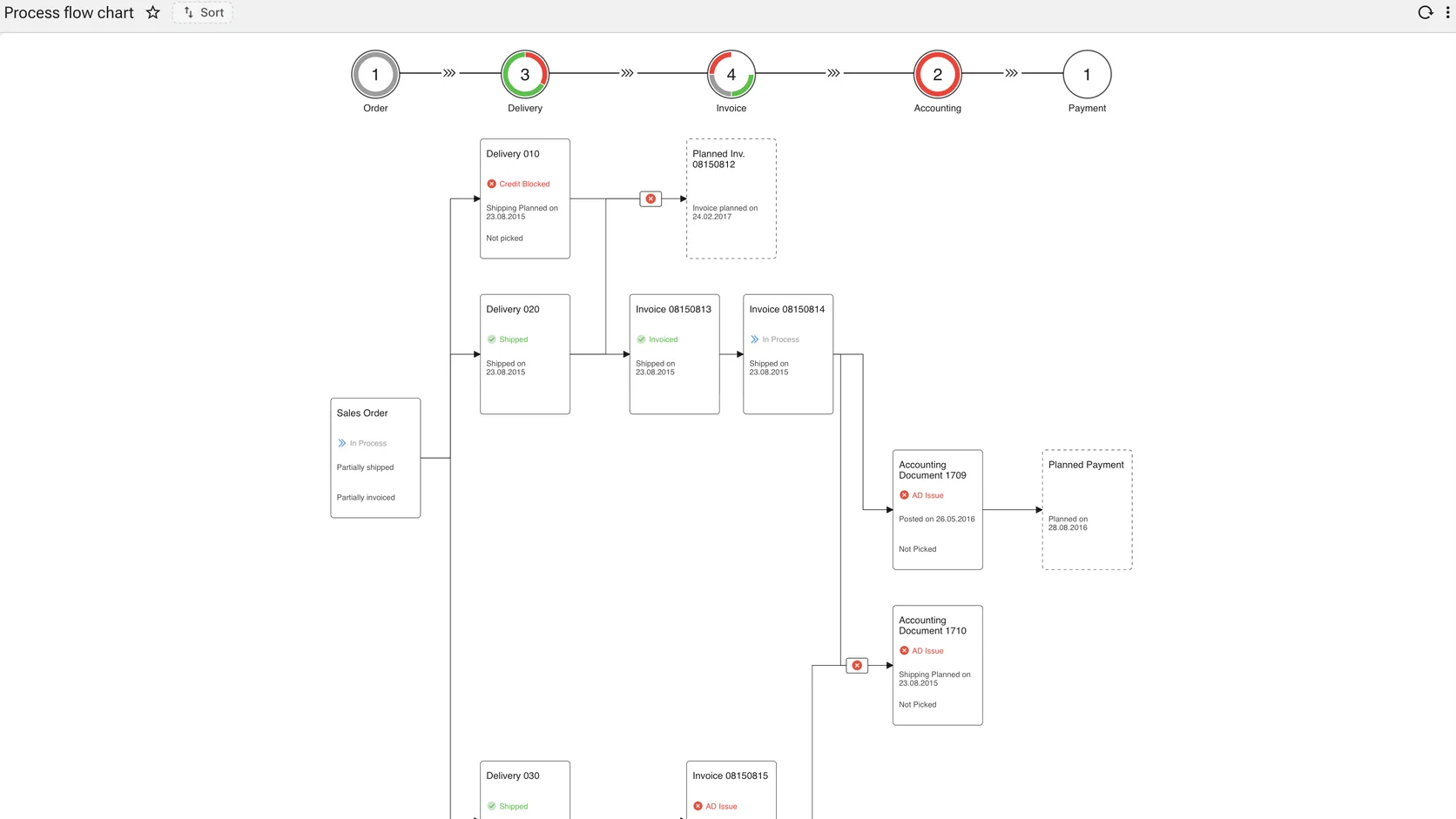
A workflow, drawn
Stages across the top, the detailed graph beneath. The diagram that usually lives in a separate drawing tool and drifts from the system it describes. Reach for it when the subject is how work is meant to run, and the reader has to follow it.
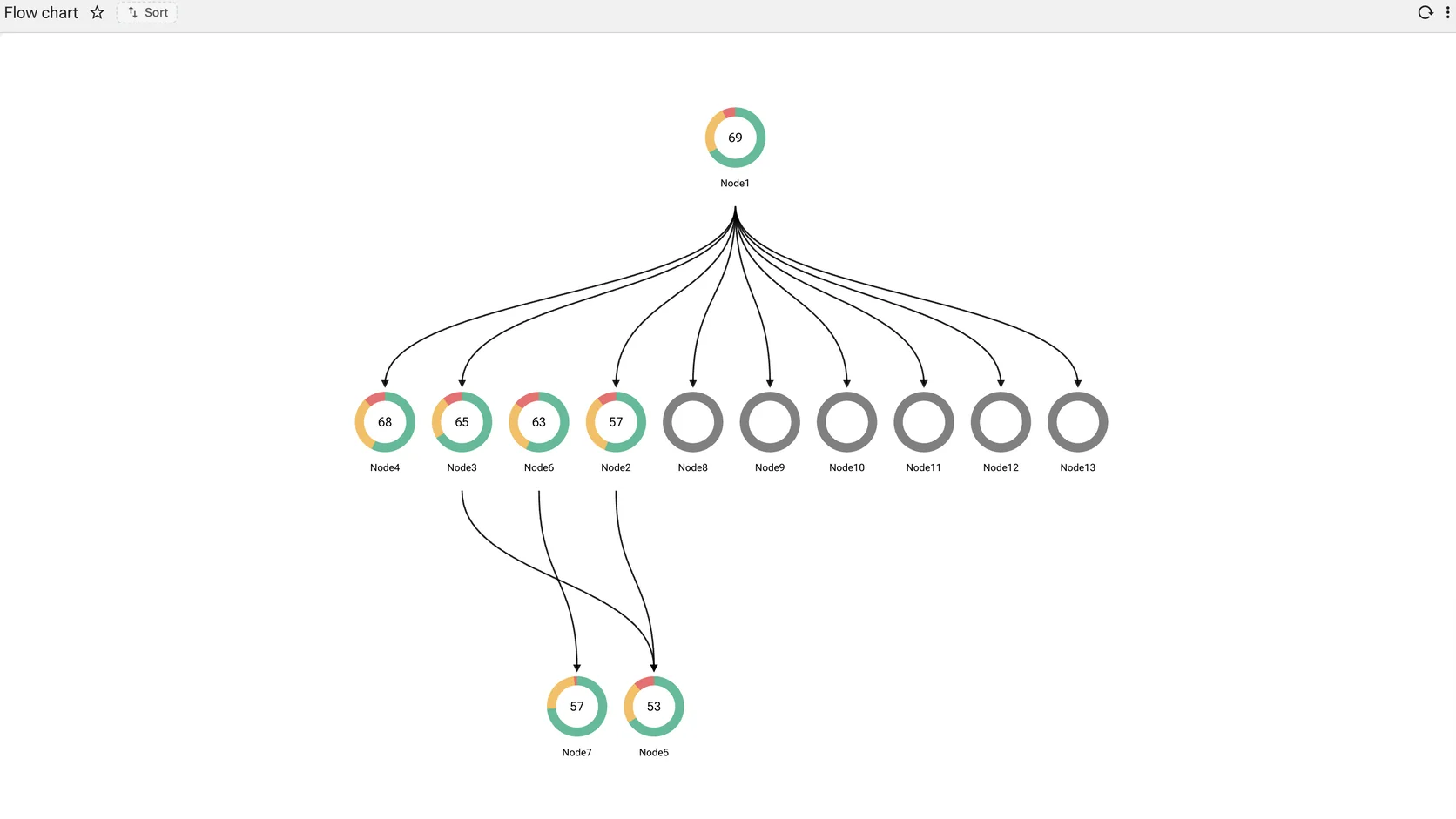
A decision path
Nodes and directed edges laid out as a flow. Where a process flow describes stages, this describes routes through them. Reach for it when the path branches on a decision and the branches are the point.
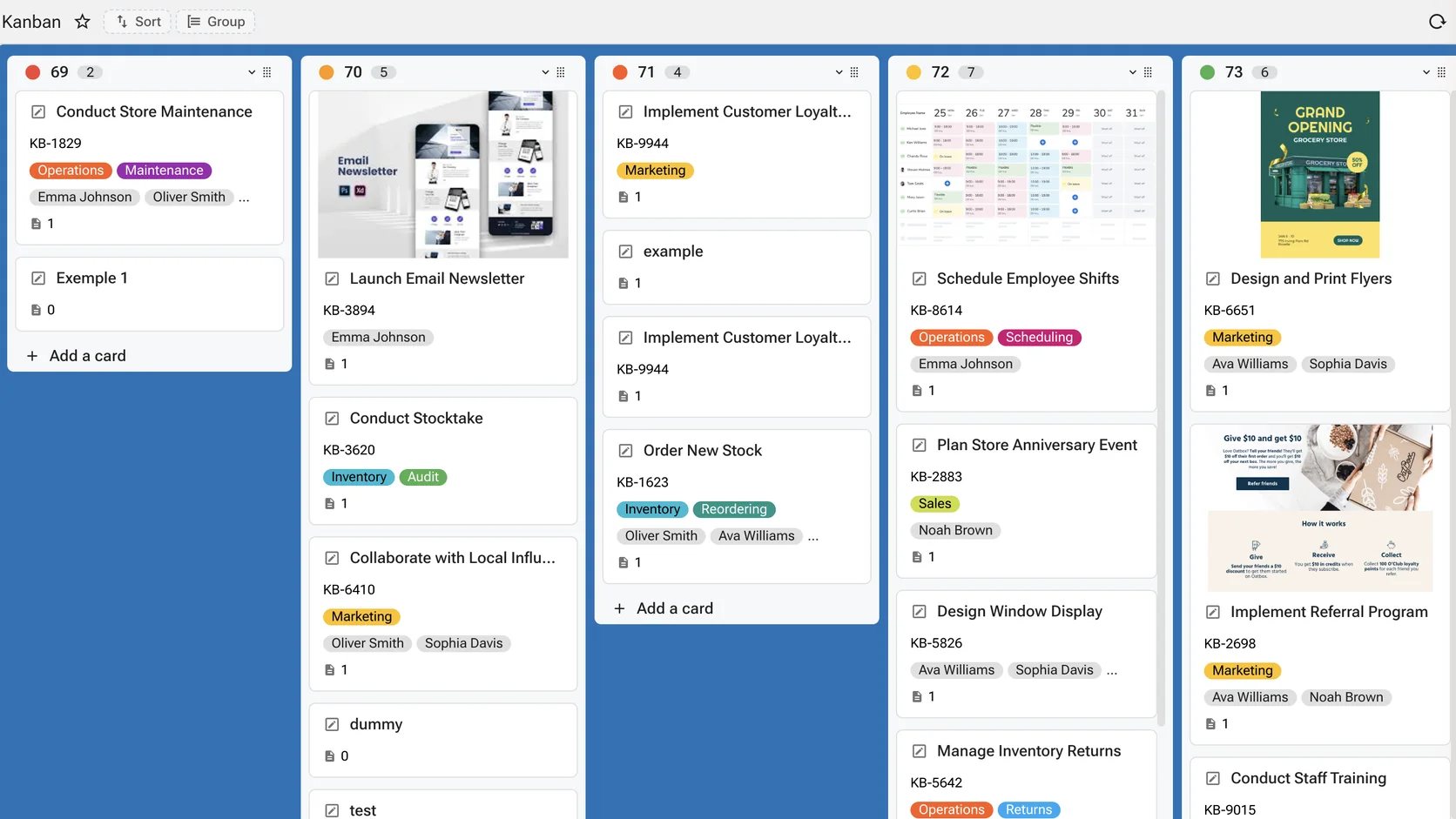
State as a column, moved by dragging
Five lists, each with its count, and cards carrying their reference, their labels, who they are assigned to and what is attached. The column a card sits in is a value on the row — so moving it is an update, and everything that watches that column sees the change. Work state stops living in someone's head or a spreadsheet beside the system. Reach for it when the question is where each piece of work has got to, and moving it is part of the answer.
When the item has to look like the item
Catalogue, point-of-sale and product-master screens are a presentation problem rather than an analytical one. These three carry an image, a model and the attributes a buyer chooses between.
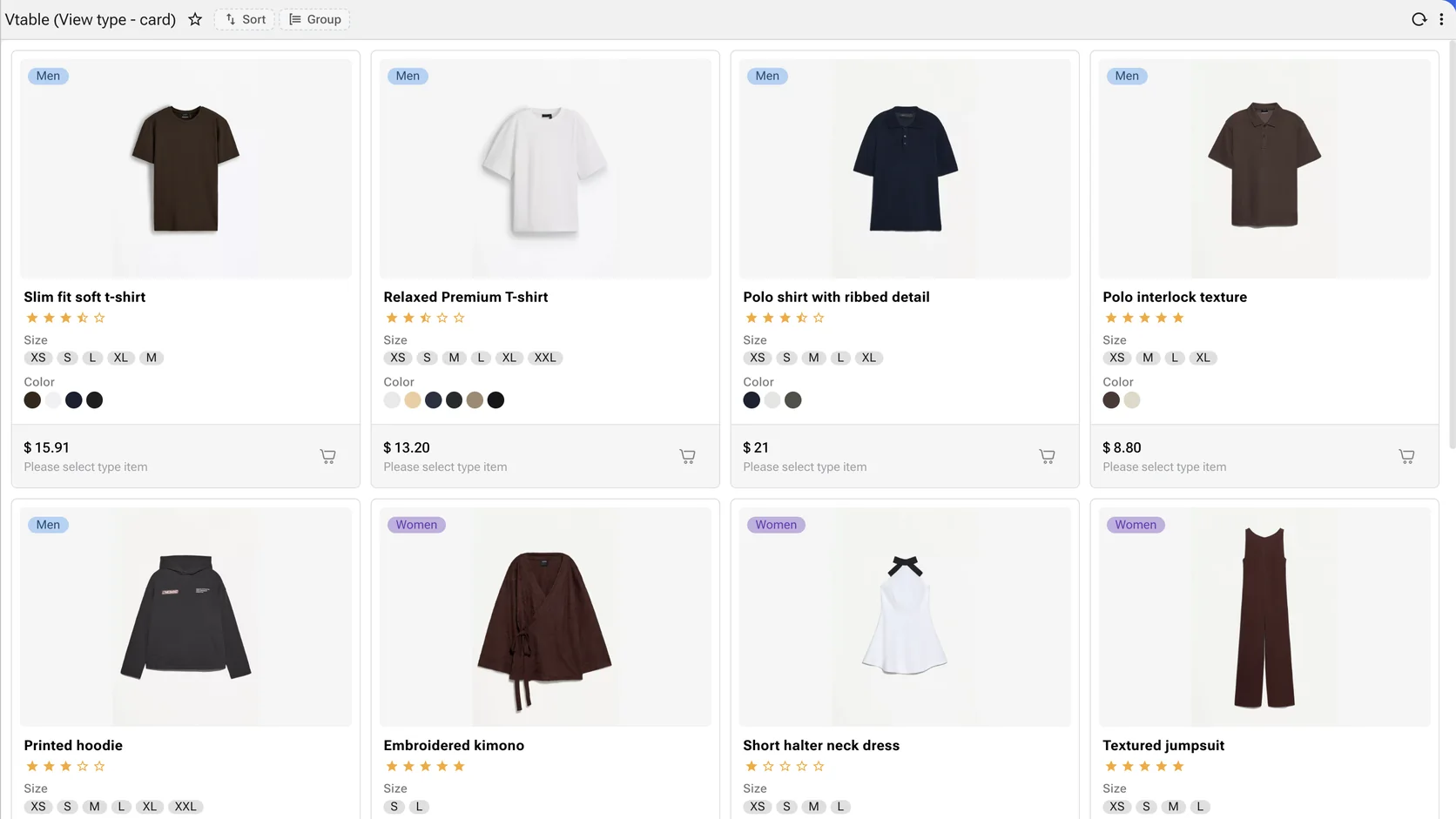
A catalogue, not a table of catalogue rows
Image, title, rating, the size and colour a buyer actually chooses between, price and the action. The card is composed from columns of the same query a grid would show — the difference is which of them are prominent. Reach for it when the picture is the identifier and a row of text is not.
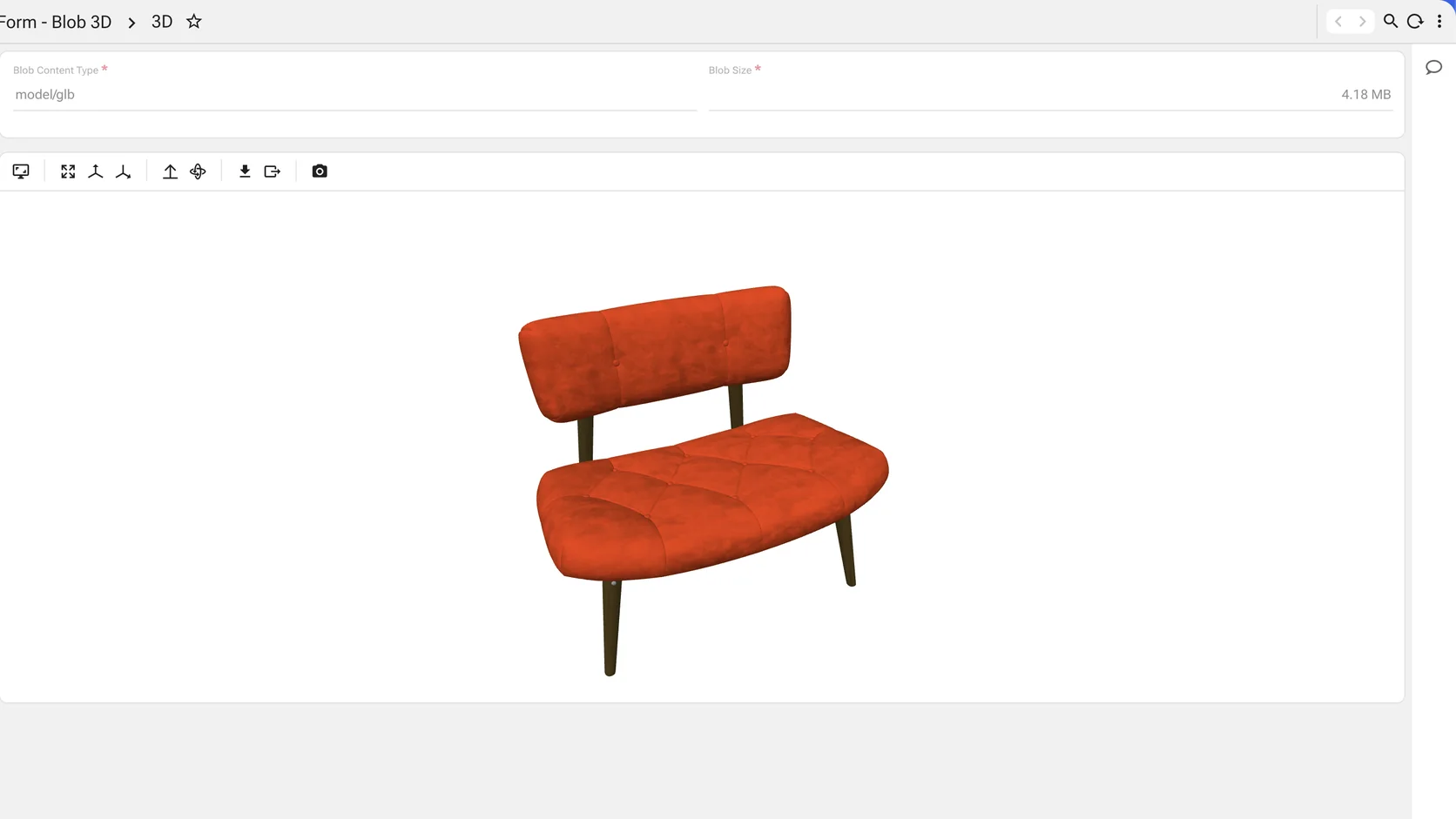
A model is a column value, and it turns
Content type <code>model/glb</code>, four megabytes, stored against the record like any other blob — and rendered as a model you can rotate, measure and capture, with its own toolbar. An engineering drawing, a part, a room or a warehouse bay lives with the row it belongs to rather than in a file share someone has to be told about. Reach for it when the shape of the thing is the specification, and a photograph of it is not enough.
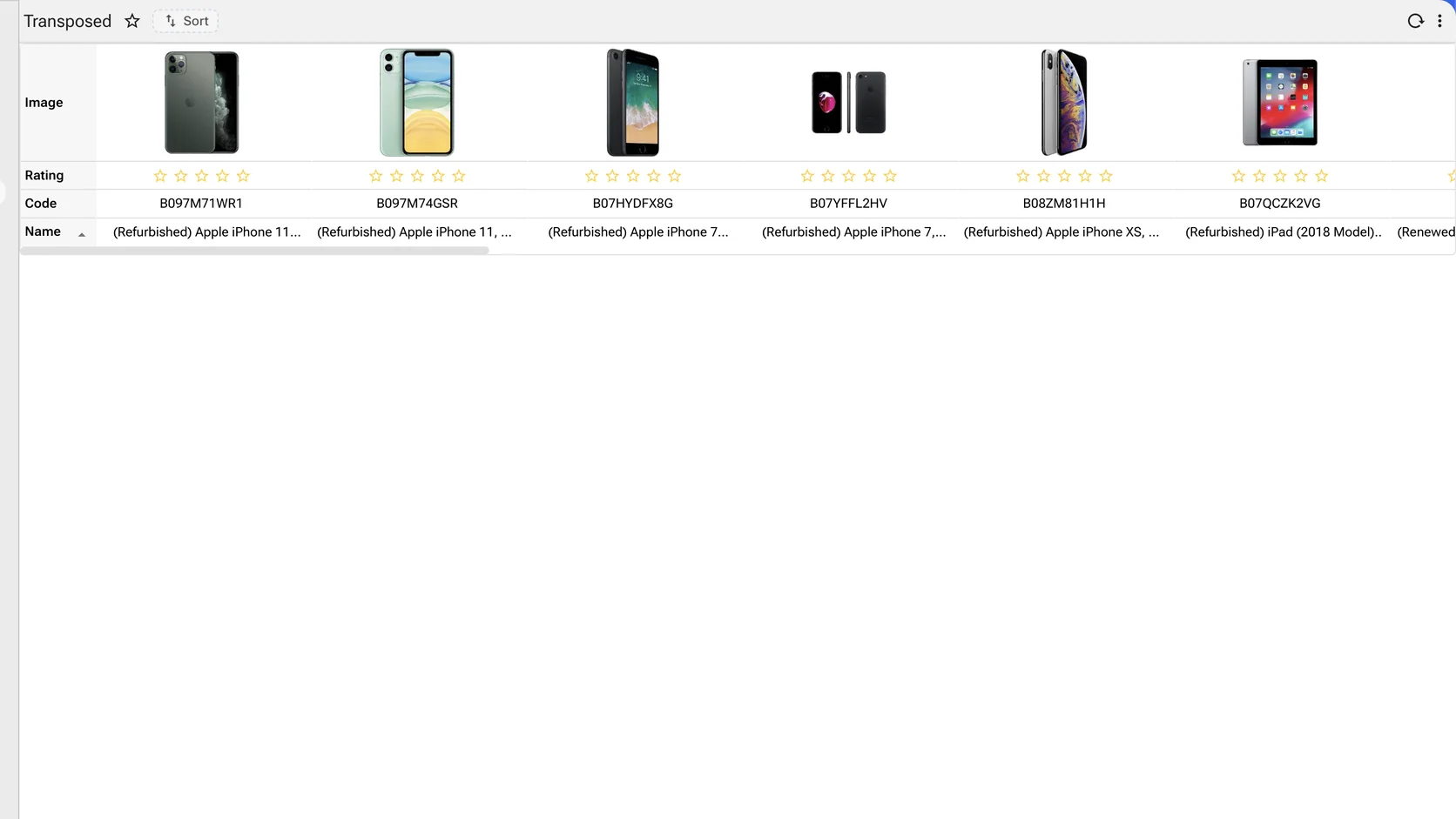
Turn the grid on its side and products line up
The transposed grid swaps rows for columns, so each product becomes a column and each attribute a row. Image against image, rating against rating, price against price. It is the shape a buyer, a merchandiser or a procurement officer actually wants when the question is which of these, not how many. Reach for it when the reader is choosing between a handful of items on the same attributes.
The attachment opens where it is, not somewhere else
Nine preview components sit in the palette. A document, a message, a recording or a model stored against a record renders inside the form — no download, no external viewer, and nothing leaving the permission perimeter to be read.
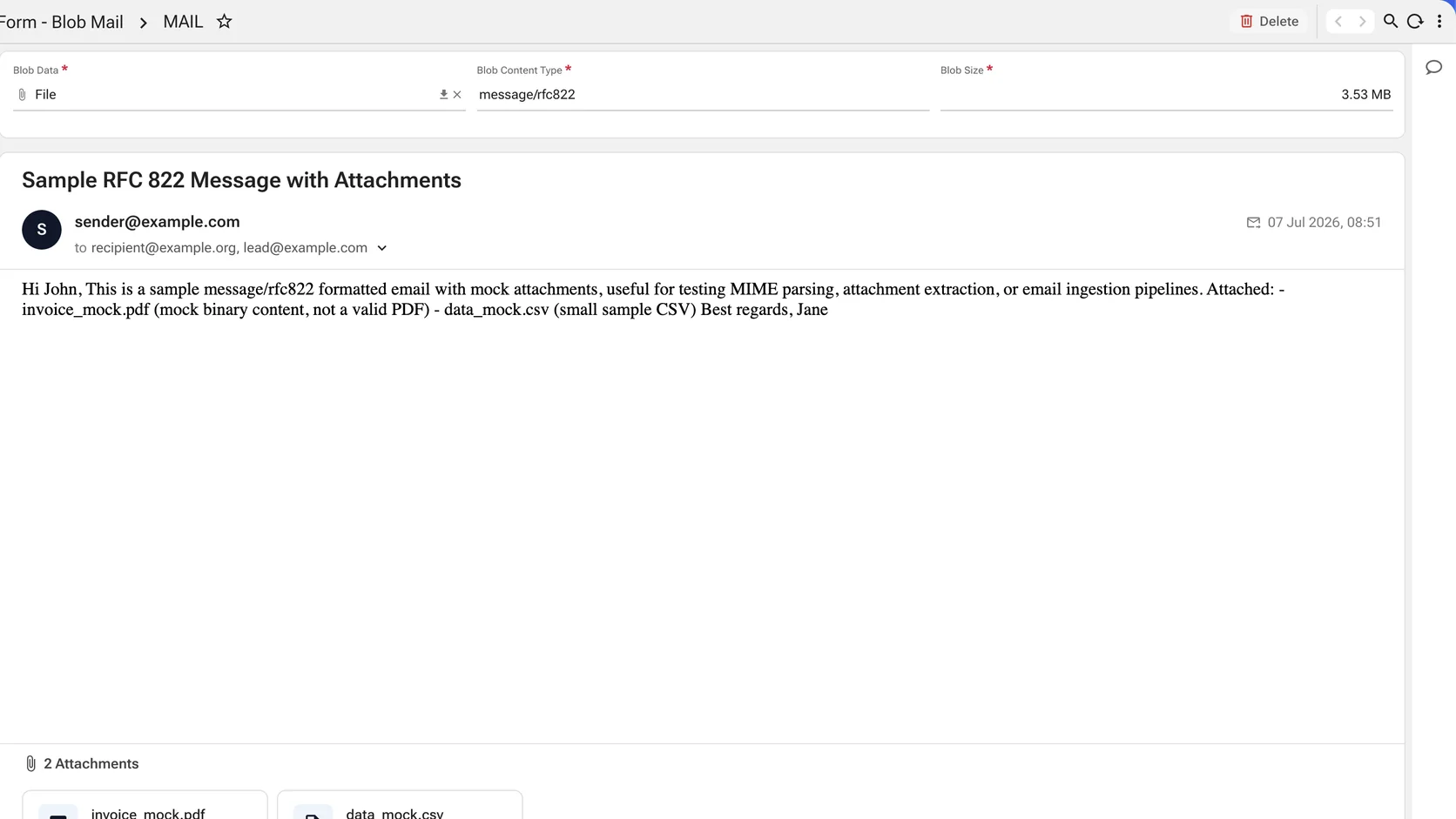
A message renders as a message, attachments and all
An message/rfc822 blob parsed and laid out — subject, sender, recipients, date, body, and the attachments listed underneath with their type and size. Correspondence attached to an order or a case is read in the application that owns the case, not in a mail client alongside it. Reach for it when the correspondence belongs to the record and reading it elsewhere loses the link.
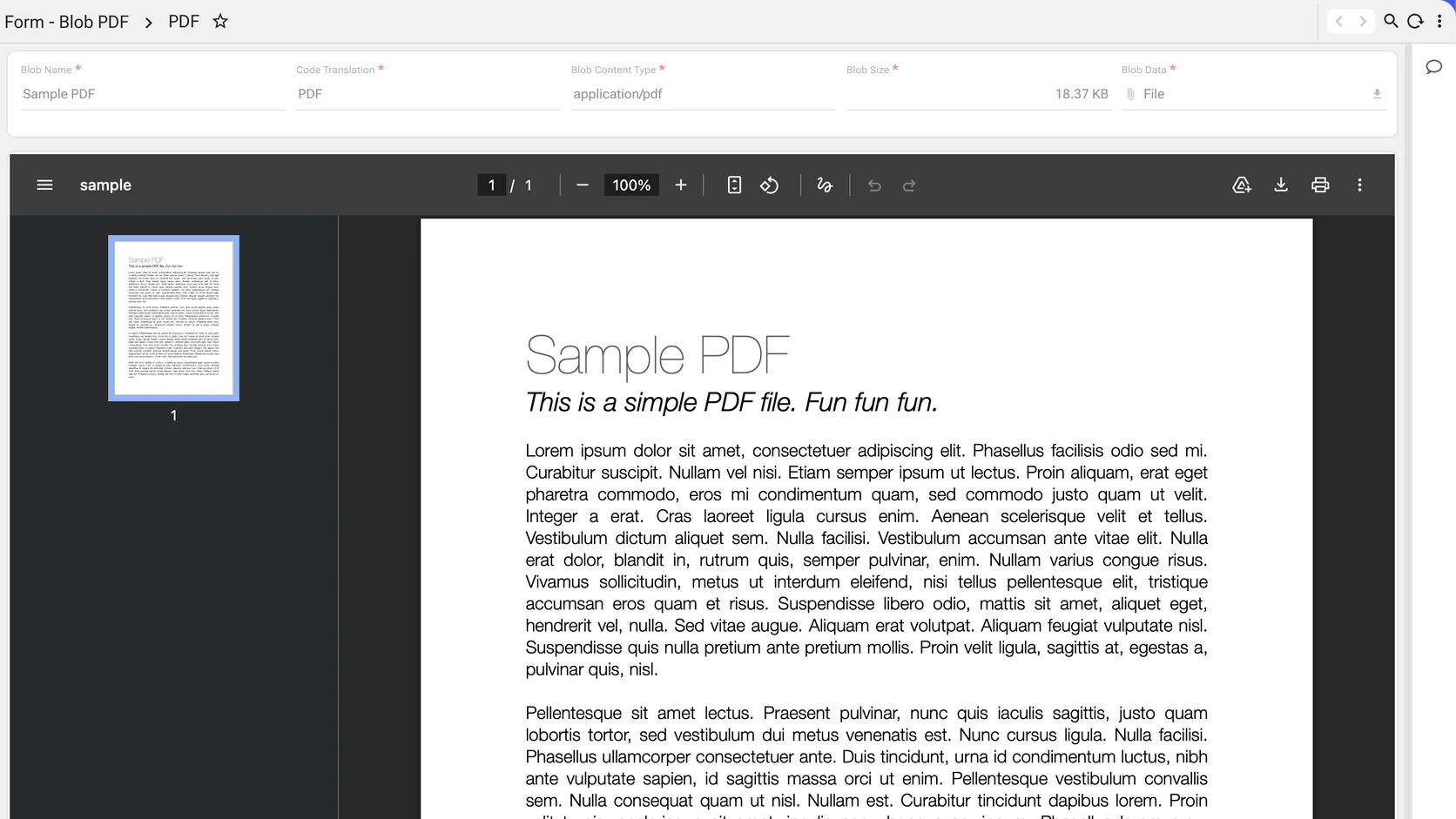
A document with the viewer around it
Page rail, page counter, zoom, rotate, print and download — the controls a reader expects, inside the form. The invoice, the signed contract or the delivery note is examined without leaving the record it is evidence for. Reach for it when the document is the evidence and the reader has to see the page, not a filename.
Recordings play in place
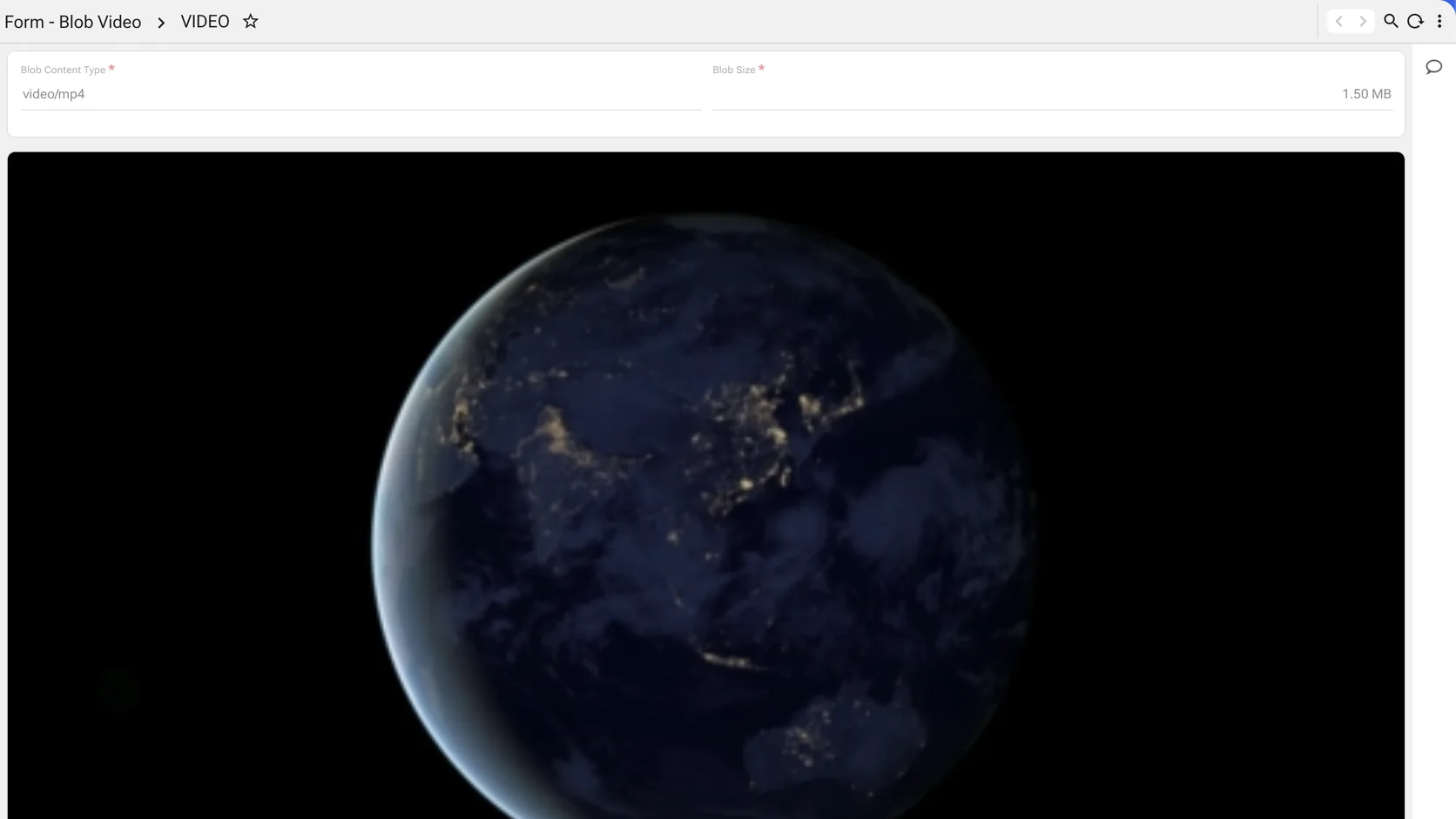
A video/mp4 or an audio blob plays inside the form with ordinary transport controls. An inspection recording, a call, a training clip or a site walkthrough is evidence on the record rather than a link to somewhere it might have moved.