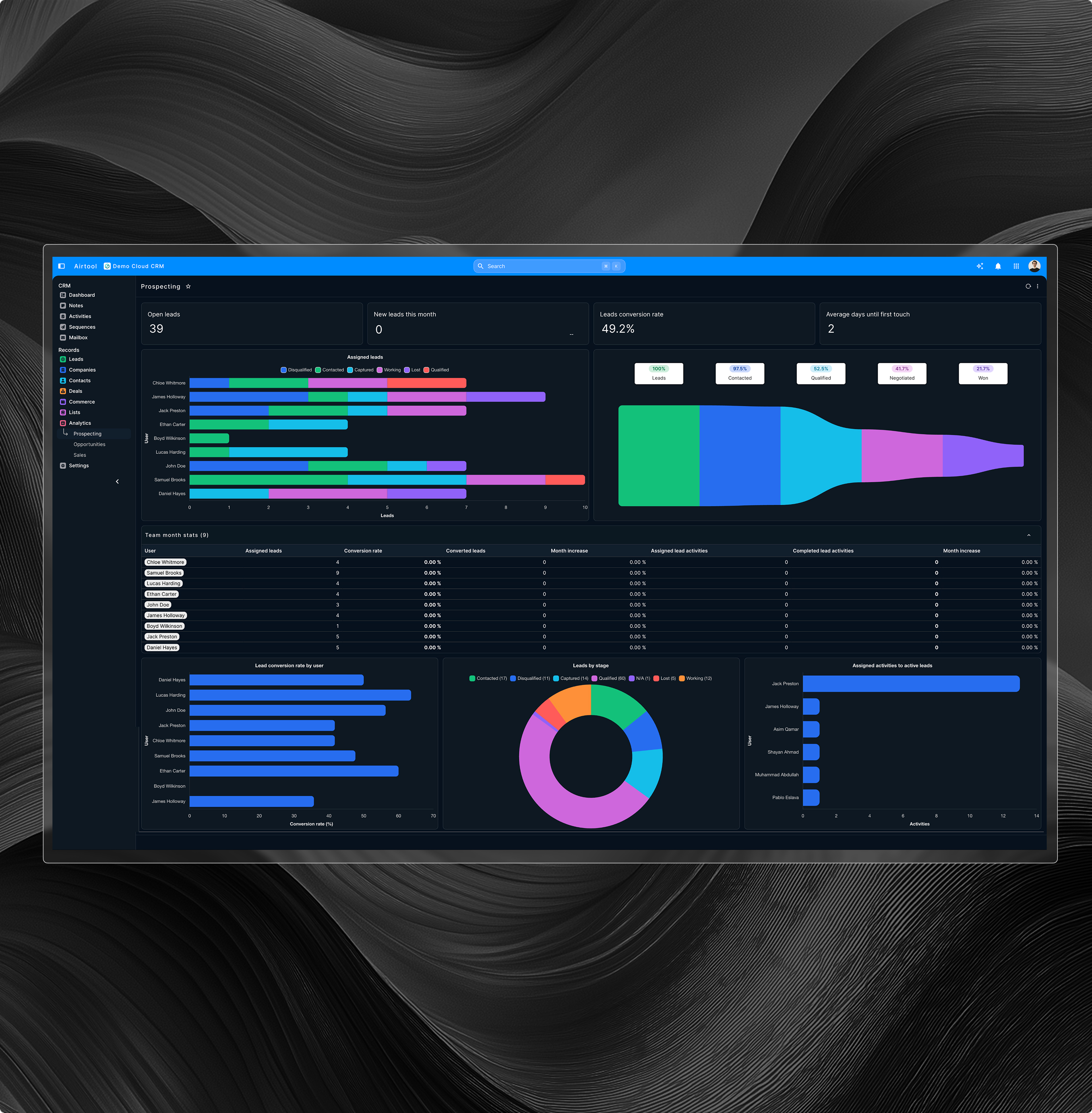

CRM Platform
Customers sales operations one unified system platform
A cloud CRM integrated with ERP unifying sales service finance operations eliminating silos enabling faster decisions customer experiences.
.png)
Features
CRM operations without business disruption
Continuous CRM operations
CRM designed for uninterrupted customer operations across teams locations and business functions.
Cloud CRM mobility
Secure CRM access from any device supporting sales and service teams everywhere.
Workflow automation engine
Standardized workflows automate approvals notifications and task execution across customer.
Security and reliability
Enterprise grade security availability and access controls protect customer data continuously.
Governed CRM access
Role based access ensures controlled customer data usage across departments and responsibilities.
Operational platform stability
CRM operations remain stable predictable and resilient under continuous enterprise workloads.
CUSTOMER LIFECYCLE
End-to-end customer journey control
Manage the complete customer lifecycle from acquisition through retention with structured visibility, segmentation, and real-time operational context across departments.
Get Started
Centralized 360° customer visibility
Unified contact and company profiles
Multi-channel interaction history tracking
Lifecycle stage tracking and segmentation
Customer health and engagement scoring
.jpg)
.jpg)
REVENUE ANALYTICS
Predictable revenue through structured forecasting
Transform pipeline data into revenue predictability using structured forecasting models, historical performance trends, and executive-level analytical visibility.
Get StartedMulti-stage sales pipeline management
Forecasting using historical performance trends
Weighted revenue projection modeling
Win-loss analytics and conversion insights
Executive forecast dashboards and controls
SALES EXECUTION
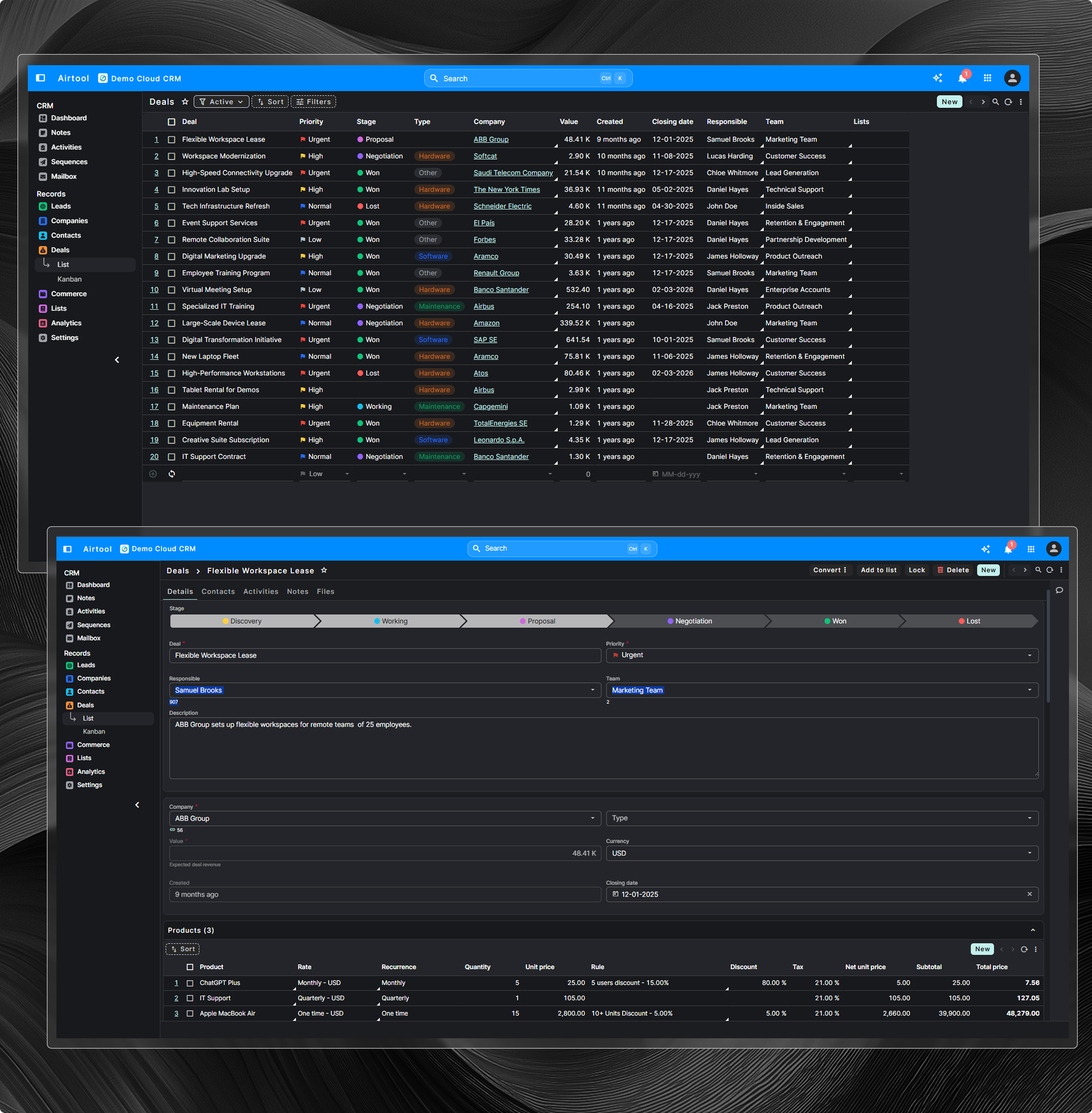
Structured sales performance and productivity
Standardize and accelerate sales execution with structured workflows, prioritization logic, and guided selling motions across the entire revenue cycle.
Get StartedActivity management for calls emails
Automated follow-ups and task reminders
Deal scoring and prioritization models
Sales playbooks and templated workflows
Mobile-ready sales execution console
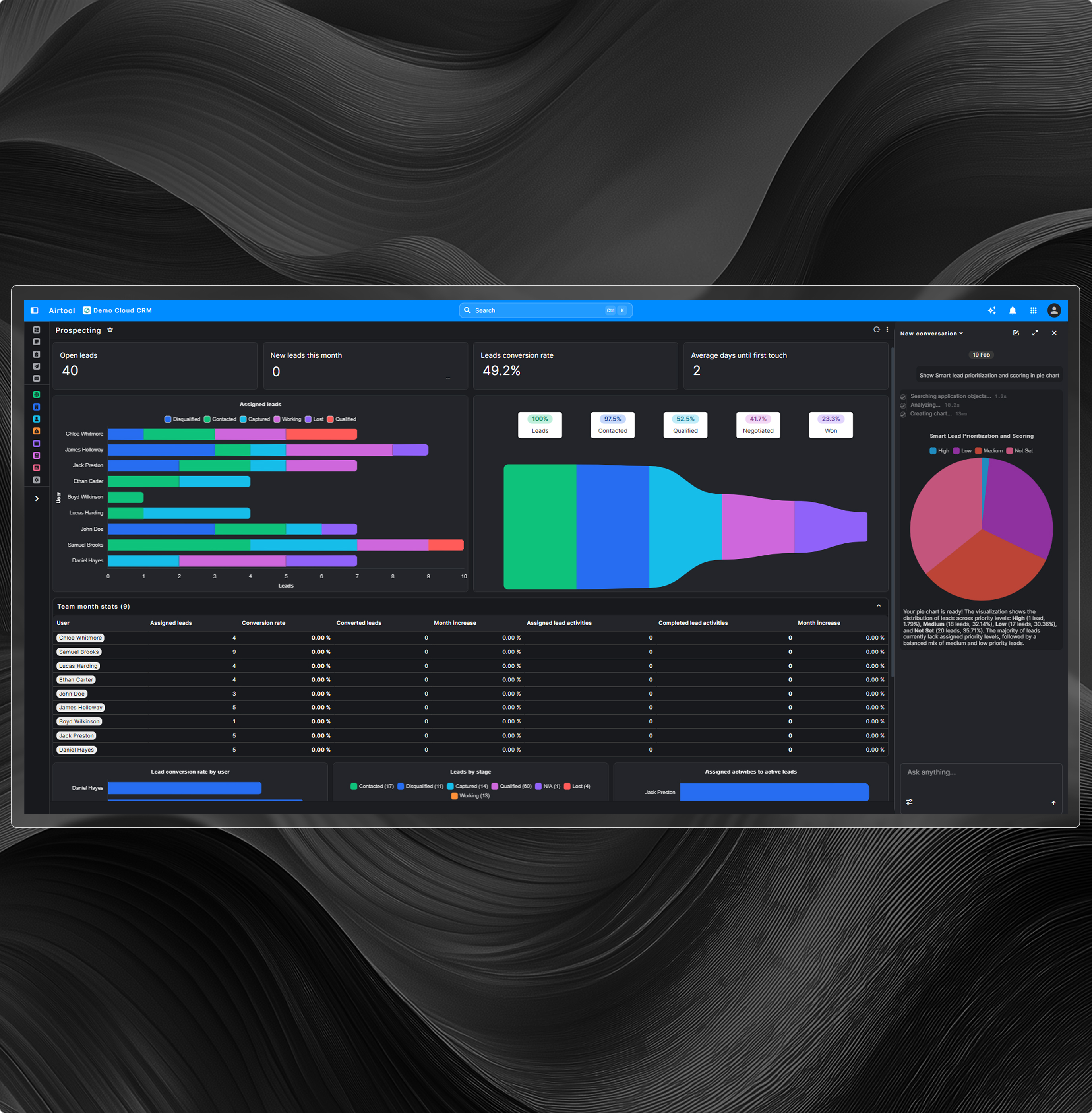
AI INTELLIGENCE
Embedded AI for revenue acceleration
Leverage AI-native capabilities embedded within the platform to enhance decision-making, prioritize opportunities, and proactively identify revenue risks.
Get StartedAI-driven next best actions
Smart lead prioritization and scoring
Natural language CRM data querying
AI-generated outreach recommendations
Risk and opportunity pattern alerts
REVENUE EXECUTION
From quote to orders & billing
Connect sales activity directly to revenue execution through governed quoting, pricing controls, and seamless order hand-offs into operational systems.
Get StartedStructured quote creation workflows
Product and pricing catalog integration
Approval and discount policy enforcement
Ordering and fulfillment process hand-offs
Revenue recognition readiness controls
.png)
SERVICE EXCELLENCE
Lifecycle support beyond sales execution
Extend CRM into structured service operations with case management, SLA governance, and intelligence-driven retention and expansion insights.
Get StartedCase and ticket management workflows
SLA tracking and escalation rules
Knowledge base with RAG AI
Customer satisfaction performance metrics
Cross-sell and upsell opportunity alerts
STRATEGIC INSIGHTS
Operational data into executive intelligence
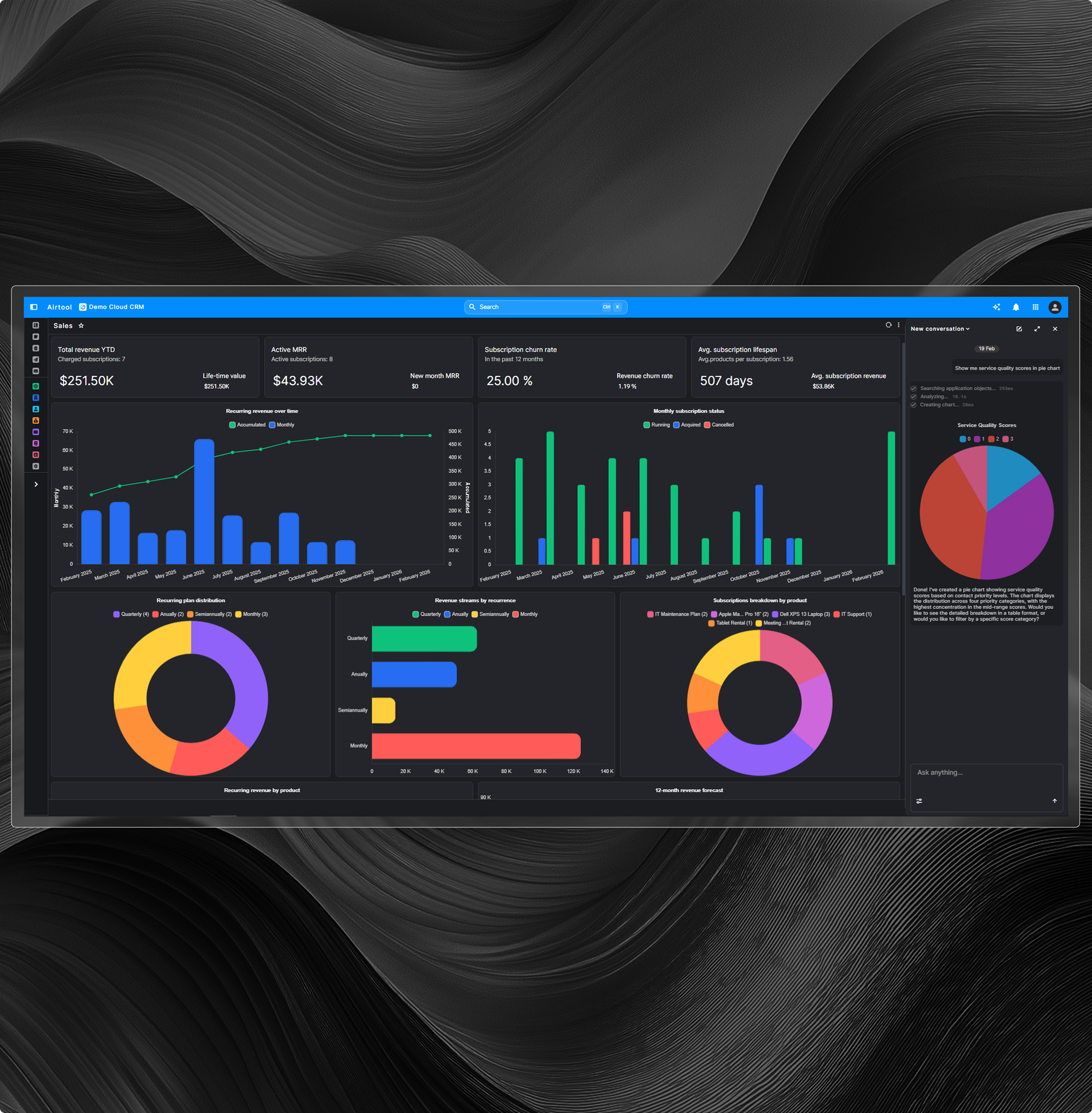
Transform CRM activity into governed strategic insight with executive dashboards, advanced analytics, and real-time performance visibility across revenue operations.
Get StartedExecutive dashboards for pipeline visibility
Custom reports with governance controls
Drill-down across accounts and segments
Trend analysis and forecasting accuracy
Integrated platform analytics engine
.jpg)
ENTERPRISE ARCHITECTURE
Scalable, secure, governed CRM foundation
Operate CRM on an enterprise-grade architecture designed for high concurrency, strict governance controls, and secure integration across financial systems.
Get StartedRole-based access and permissions
Full audit trails for compliance
Secure ERP and finance integration
Multi-organization and team tenancy
High-concurrency performance architecture
CRM and ERP operating as one system
Sales finance and operations work from the same real-time data without integrations synchronisation errors or duplication.

Sales visibility
Sales teams access live stock pricing and delivery commitments during customer conversations.
Real availability during deal discussions
Accurate pricing without external checks
Delivery dates confirmed instantly
Financial continuity
Finance views orders invoices and payment status directly from CRM activities.
Orders flow directly into finance
Invoices visible without reconciliation
Payment status always current

Operational execution
Confirmed deals reach operations immediately enabling fulfilment planning without delays.
Deals delivered to operations instantly
No handoffs between disconnected systems
Faster fulfilment and execution
Unified platform
CRM and ERP share one platform eliminating integrations sync errors and duplicate records.
No integrations to maintain
No sync errors or delays
One customer lifecycle system
Built for growing process driven companies
Designed for organisations that rely on structured processes cross-team coordination and real-time operational visibility.
Distribution and wholesale companies
Manage customers pricing inventory orders and delivery across sales finance operations.
Live stock and pricing visibility
Orders flow directly to operations
Service-based organizations
Track customers contracts billing and service delivery from one integrated CRM platform.
Full customer lifecycle visibility
Billing linked directly to services
Manufacturing and Industrial Firms
Connect sales orders production planning invoicing and customer service without data gaps.
Sales aligned with production capacity
Accurate delivery and fulfilment commitments
Multi branch organizations
Coordinate customers sales service and finance across multiple locations using shared data.
Centralized customer and sales data
Consistent processes across all branches
Business Outcomes
Customer operations impact
Faster Sales
Better Productivity
Cash Visibility
Shorter sales cycles higher productivity improved cash flow fewer errors reduced manual work and better customer satisfaction.
Explore more